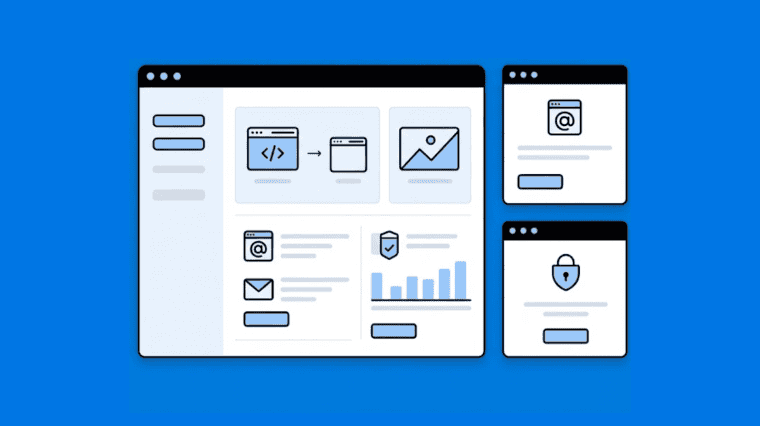


Today, if you operate a small business, you almost certainly operate a website. Whether you’re selling products, collecting leads or simply establishing credibility, your website is an essential component of your business. That website is behind a hosting control panel – where everything is controlled. Non-technical business owners can find it confusing to choose the right panel. This guide is about what really matters for small businesses – ease of use, reliability and cost-effectiveness.
Why this guide will assist you: Are you a small business owner who doesn’t want to be bogged down in technical details? This guide breaks down the main hosting panels in plain language. You’ll learn what to look for, what to avoid and how to compare options without getting caught up in marketing.
Why Hosting Panels Matter for Small Businesses
Your Hosting Control Panel is like the dashboard of your car. You don’t need to know how the engine works, but you do need to know the controls.
A good hosting panel lets you :
- Manage your website without technical headache
- Set up email accounts for your team
- Install WordPress or other apps in a matter of minutes
- Monitor usage, security and backups
Small business owners don’t worry about server tweaks, they care about time and simplicity. The best panels save you time, not create more work. For a broader look at how control panels affect website speed, it’s worth understanding what’s happening behind the dashboard.
What Small Business Owners Should Look For
Know the important things to a non-technical buyer before you start comparing panels.
1. Easy-to-Use Interface
You don’t want to call a developer to upload files or reset the email password. Clean layouts and clear labeling go a long way.
2. Affordable Pricing
Small businesses run on tight budgets. Predictable, manageable costs, month after month.
3. Built-In Security
SSL certificates, firewalls and malware protection should be included, not paid extras.
4. One-Click App Installers
One-click installation of WordPress, WooCommerce or CMS tools.
5. Reliable Support
And when things go wrong, fast, friendly support is invaluable. Try it before you buy it. For a full framework, see how to evaluate customer support quality before buying hosting.
Popular Hosting Panels Small Businesses Often Use
cPanel
One of the most popular control panels in the hosting industry is cPanel. It is often included as part of the default packages from many of the hosting providers.
Pros:
- UI familiar
- Big community and tutorials
- A large plugin ecosystem
Cons:
- High licence fees
- A little intimidating for beginners
- Heavy Resource vs. Light Panel
Best for: Companies wanting reliability, wide compatibility and lots of documentation. If you’re comparing it with newer options, here’s a detailed cPanel vs CyberPanel comparison.
Plesk
Plesk is the first choice for agencies and Windows hosting customers.
Pros:
- User interface today
- Top WordPress Plugins
- Compatible with Linux & Windows
Cons:
- Paid Licences.
- Extensions Conceal Features
- Heavy resource use
Best for: Agencies and developers managing multiple sites across multiple environments
DirectAdmin
DirectAdmin is low cost and light weight.
Pros:
- cPanel’s cheaper cousin
- Simple Design
- Covers the basics
Cons:
- Fewer choices of automation
- Small Society
- Still needs some technical comfort
Best for: Users who want a simple, low-cost paid panel.
CyberPanel
CyberPanel has rapidly grown as a free modern alternative.
Pros:
- open source and free
- LiteSpeed Performance Built-in
- Strong safety features
- One-click WordPress install
Cons:
- Need a good hosting infrastructure
- Less community compared to cPanel
- Some advanced features are only available in the paid enterprise edition
Best for: Performance-focused users who don’t mind a bit of a learning curve. If you’re new to it, here’s a proper explainer on what CyberPanel is.
Other Panels Worth Knowing About
Webmin/Virtualmin — Free, long-standing, and flexible. Interface feels dated.
VestaCP — Free and simple, though development has slowed.
ISPConfig — Free, open-source, multi-server support.
AAPanel — Free and beginner-friendly, clean interface.
Each has trade-offs. None is universally “best.”
How to Choose the Right Panel for Your Business
There’s no single best panel. It depends on your technical comfort, budget, and what you’re running.
| Your Situation | Recommended Panel Type |
|---|---|
| No technical skills | Managed hosting with cPanel or a custom panel |
| Tight budget | CyberPanel, DirectAdmin, or AAPanel |
| WordPress-focused | cPanel, CyberPanel, or Plesk |
| Multi-platform (Linux + Windows) | Plesk |
| Developer-friendly | CyberPanel, Webmin, or ISPConfig |
For agencies specifically, this guide on which control panel is best for agencies and resellers goes deeper.
Common Mistakes When Choosing a Panel
Picking by price alone. A free panel with a 10-hour configuration is not really free.
Ignorating resource usage. cPanel needs more RAM and CPU for heavy panels. That’s a lot on a tiny VPS.
Not checking compatibility Some panels work better with some web servers (Nginx, LiteSpeed, Apache)
No trial and error. Most paid panels do demos. Before commit, use.
No testing support. Pre-Sales Inquiry Submit. Imagine support tickets go if they take 48 hours to answer .
Conclusion
The best hosting panel for your small business isn’t the most complicated one, it’s the one that makes things easier. All good options but they have their trade-offs . cPanel , Plesk , DirectAdmin and CyberPanel .
Match the panel to your technical comfort, budget and what you’re running. Test what you can and select the one that fits, not the one with the loudest marketing.
Frequently Asked Questions
Which hosting panel is easiest for non-technical users?
Cpanel and Plesk are mostly regarded as the easiest for beginners. Among free choices, AAPanel and CyberPanel are somewhat more approachable.
Is cPanel worth the cost for a small business?
If you want reliability and good compatibility and lots of documentation, yes. Free options work just as well if you’re comfortable with the technical setup.
Can I switch panels later?
Yes. But there may be complexities involved in the migration. Some panels include migration tools. Others have to be worked by hand.
Do I need a control panel at all?
Not always. If you know your way around the command line, you can run a server without one. But most small businesses will save time and avoid mistakes with a panel.
Which free panel is best for small businesses?
Depends on what you want. CyberPanel is good for performance. AAPanel is very beginner-friendly. Webmin is flexible, but old. No winner at the end of the day.
What’s the most important feature for a small business panel?
Easy to use and reliable support. If you have to call a developer to manage your site, the panel isn’t doing its job.