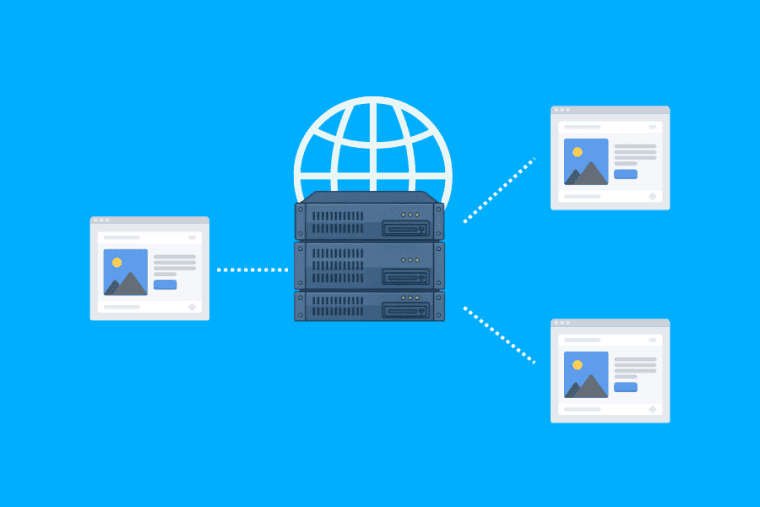


A Content Delivery Network (CDN) helps your website load faster for visitors. It keeps copies of your website files on servers in different locations.
When someone visits your website, the CDN can serve those files from a server that is physically closer to them. This can reduce loading times for images, CSS files, JavaScript, and other content.
If your website gets visitors from different cities or countries, a CDN can make a noticeable difference in how quickly your pages load.
How Does a CDN Work?
When someone visits your website, usually their browser sends a request to your host server. The server then returns the files requested by the visitor.
The trouble is the distance.
You could have a website hosted on a server in India, for example, but someone visits it from the US. The site isn’t even close to being able to handle the request.
CDN can help with this.
It has servers located in different locations called edge servers. These servers contain copies of the static content of your site.
So when a visitor comes to your site , the CDN looks for a server close to them that already has the files requested . If they are there, the files can be served without contacting your main hosting server each time.
This can make your site a lot faster.
How Does a CDN Improve Website Speed?
A primary reason you want to use a Content Delivery Network (CDN) is for loading speed.
A CDN can improve performance in a number of ways.
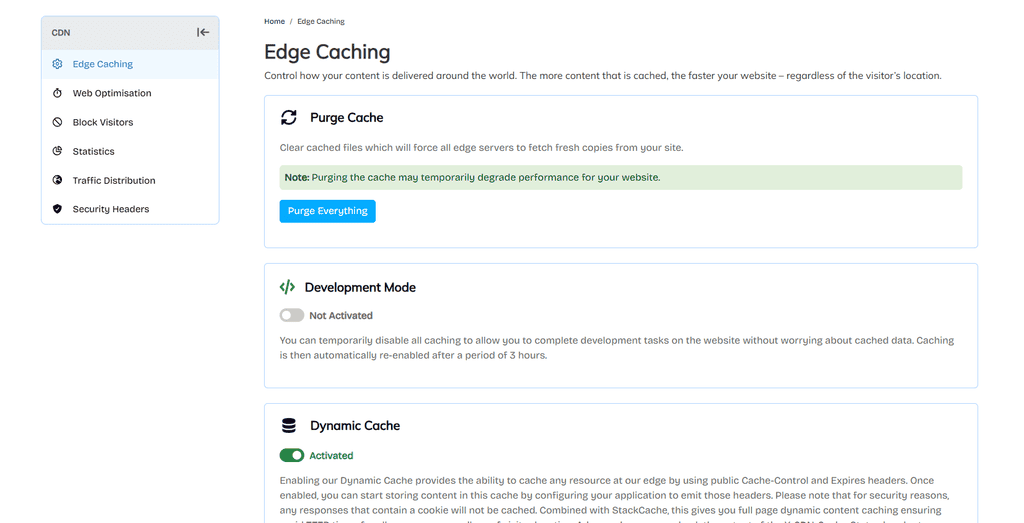
Caching is one of the most important The CDN caches files that are accessed frequently, such as images, CSS, Javascript and fonts. Visitors can then access the files from the cached copy.
Also it minimizes the number of requests sent to your hosting server.
Many CDN services also offer image optimization. They can compress images, and may serve different image sizes depending on the visitor’s device.
This is helpful because large images are often one of the biggest culprits for a slow website.
A CDN can also lower latency. The content is served from a server that is closer to the visitor, so the data has less distance to travel.
Can a CDN Help With SEO?
A Content Delivery Network (CDN) doesn’t explicitly guaranty higher search rankings. But it can help with some of the things that matter for SEO.
Website speed matters to site visitors and search engines. The quicker your pages load, the less likely your visitors are to bail out while waiting for content to render.
A faster site can also be a better experience on mobile devices.
However, don’t forget that a CDN is just one part of the puzzle in terms of website optimization. Your content, mobile design, hosting, technical SEO and overall site quality still matter.
CDN Security and DDoS Protection
A Content Delivery Network (CDN) can also add another layer of protection to your website.
Many CDN providers offer features like traffic filtering, firewalls, bot protection and DDoS protection.
A DDoS attack can send a lot of traffic to a website. This can put a lot of strain on the host server and make website unavailable.
A CDN can filter and manage traffic across its network before it even reaches the origin server.
Coverage is subject to the plan selected and may vary by provider. Always see what security features come with.
What Is Edge Computing?
CDNs have grown beyond simply caching.
Some providers are now providing edge computing. This allows some tasks to be executed on servers nearer to the visitor, rather than sending every request back to the main server.
For example, edge computing can be used for small processing tasks like redirects, authentication checks, personalization and so on.
This can decrease response times for applications serving users in different parts of the world.
Popular CDN Providers
Today there are a number of CDN providers available. It all depends on your website, and what you need.
Cloudflare is a popular choice for websites that need CDN services, DNS, caching and security features all-in-one platform.
Amazon CloudFront works in conjunction with other AWS services. It can be a good choice if you’re already running your website or application on Amazon’s infrastructure.
Akamai is a provider of choice for larger businesses looking for global content delivery and advanced security features.
Fastly is fast content delivery, flexible caching, and edge computing.
You don’t always need the most advanced provider. A simple CDN setup is good enough for a small website.
How to Set Up a CDN
Setting up a CDN isn’t as difficult as it might seem.
First, choose a CDN provider that works with your hosting setup. Create an account and add your site.
In most cases you will need to change your dns settings or nameservers. Then set your caching preferences.
If it’s available, turn on things such as image optimization, compression and security protection.
Once everything is set up and running, try accessing your site from a number of locations. Test your images, forms, login pages and other critical functionality.
Some hosting providers allow you to integrate CDN directly from their control panel as well. That means the setup process can be far simpler.
Common CDN Misconceptions
A CDN is not a replacement for your web hosting.
Your website files still reside on your hosting server and request that can’t be served from the CDN are processed.
Another common misconception is that every website needs a CDN.
If most of the visitors to your website come from a small local area and the site already loads quickly, then the difference may not be that great.
It is also important to understand cache. A CDN does not store every single thing from your website forever. The cached files expire based on the rules you create.
Dynamic content like shopping carts and checkout pages usually requires different caching settings.
CDN Examples for Different Websites
A blog can use CDN to make images, fonts, CSS and javascript files faster to the readers.
You can use this to reduce the load on the hosting server of a business website and to speed up loading of pages for visitors in different locations.
A CDN can speed up the loading of product images and other static files for an eCommerce store. This could make browsing product pages a little less awkward…
However there are important dynamic areas such as checkout and account pages that need to be configured carefully so personal information is not cached incorrectly.
Conclusion
Many modern web sites can benefit from a CDN. It’s faster to load content, it will reduce the load on your hosting server and it will add useful security features.
Caching and image optimization can make your page faster, whereas DDoS protection can help protect your website from malicious traffic.
The best CDN for you will depend on your visitors, the size of your website, your hosting setup and your budget.
If your website attracts visitors from all over the world, adding a CDN is an easy way to improve the overall browsing experience.