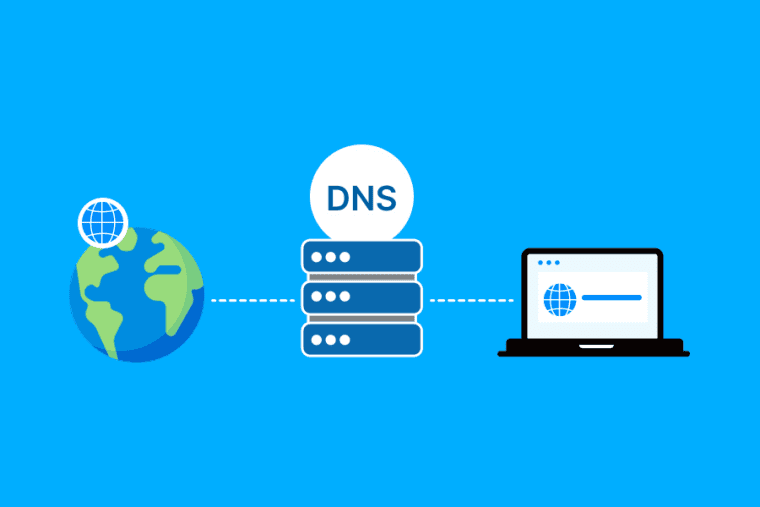


If you’ve ever pointed a domain to a website, you might have heard of things like DNS records, nameservers and IP addresses. At first glance they may appear confusing, but the basic idea is quite simple.
Domain Name System (DNS) It helps browsers locate your website . It connects a domain name ( e.g. example.com ) to the server where your website is hosted.
Without DNS , every time you wanted to visit a website , you ‘d have to remember a long IP address .
What Is DNS?
Domain Name System (DNS) is the phone book for the internet.
You type a domain name into your browser because it is easier to remember. Then your browser has to find out which server is behind that domain.
It uses DNS to get to the right address .
When a person types in example.com, for instance, DNS could direct the browser to an IP address like 192.0.2.10. It then connects to the server with the browser and loads the web page.
So fast that most of the time you don’t even notice.
How Does DNS Work?
When you enter a domain name, your device first checks if it already has the correct IP address.
If it doesn, the request is passed on to several Domain Name System (DNS) servers until the proper information is found.
The DNS system then sends back the needed record , such as the IP address for your website . Your browser then uses that information to call on the right server.
It’s like asking a stranger for their telephone number. You know the name of the person but you need a directory to find the number.
Common DNS Records Explained
DNS has various record types. Each one has a particular job.
A Record
A record points a domain name to an IPv4 address.
For example:
example.com → 192.0.2.10
You would use an A record if you want to point your domain to a web server.
AAAA Record
An AAAA record does the same thing, but points to an IPv6 address instead of an IPv4 address.
IPv6 addresses are longer than the traditional IPv4 addresses, but the purpose is the same.
CNAME Record
A CNAME record maps one domain/subdomain to another hostname.
For example:
www.example.com → example.com
This is useful when you want multiple hostnames to point to the same destination.
MX Record
An MX record is where the internet looks to deliver email for your domain.
If your business is using an email service, the provider will generally supply you with the MX records you need to add.
TXT Record
TXT record – text information associated with your domain
Typical uses are for things like SPF records, domain verification and email security.
NS Record
The NS records are used to identify the name servers that are responsible for the domain’s DNS information.
By changing your domain’s nameservers you are essentially telling the internet which DNS servers should be used to get the records for that domain.
PTR Record
A PTR record is used for reverse DNS lookups. It is used to get a hostname from an IP address, not an IP address from a domain.
PTR records are typically important for mail servers and server administration.
What Are Nameservers?
Nameservers tell the internet where your DNS information is hosted.
When you register a domain, it must have nameservers. These can be provided by your hosting company, domain registrar or another DNS service provider.
For instance, your hosting provider may give you two nameservers to add to your domain settings.
Once set up , the DNS records managed by those nameservers can point your website and email services to the appropriate places .
What Is DNS Propagation?
You can change a DNS record, and expect it to show up immediately. Sometimes it does, but not all the time.
This delay is called DNS propagation.
DNS information may be temporarily stored, or cached, by systems around the Internet. Because of this caching, some visitors will get the new record and some will get the old record.
Propagation time will depend on the record, TTL, DNS provider and what’s cached.
What Is TTL?
It instructs DNS resolvers how long they can cache a DNS record before they need to check for a newer one.
For example a 3600 second TTL means the record can be cached for about one hour.
The lower the TTL, the faster the changes will propagate . Longer TTLs reduce the number of DNS lookups.
How to Manage DNS From Your Hosting Panel
Most hosting providers give you a DNS management area through their control panel.
You may see options such as DNS Zone Editor, Manage DNS, or DNS Settings.
From there, you can add, edit, or remove records.
Before changing anything, check the values provided by your hosting or email provider. A small mistake in a DNS record can stop your website or email from working.
It is also a good idea to keep a copy of your existing DNS records before making major changes.
DNS Security and Common Problems
DNS can also play an important role in website and email security.
Records such as SPF, DKIM, and DMARC can help protect your domain from email spoofing. DNSSEC can also add another layer of protection by helping verify that DNS responses have not been altered.
If your website stops working after a DNS change, start with the basics.
Check the A or AAAA record. Make sure the nameservers are correct. Check for spelling mistakes and confirm that the record points to the right server.
You can also use online DNS lookup tools to see what records are currently visible.
Frequently Asked Questions
How does changing DNS affect my website?
It can do. You could make a bad record change or point your domain to the wrong server and visitors won’t be able to find your website.
How long does DNS propagation take?
There is no definite time. Some changes appear quickly , others can take longer due to caching and TTL settings .
Can I use DNS without changing my hosting?
Yes. DNS and hosting are separate services. You can manage DNS through your registrar or a third-party DNS provider while keeping your website hosted somewhere else.
Can a newbie edit the DNS records themselves?
Yes, but cautiously.” Understanding what each record does can help you avoid common mistakes. When you are unsure about a value, check your provider’s documentation before changing it.
Conclusion
The Domain Name System can be confusing at first. But if you understand a few basics you can get started.
A records point to IPv4 addresses , AAAA records point to IPv6 addresses , MX records point to mail routing , and CNAME records point to other hostnames . Your nameservers tell the internet where to find your DNS. TTL is the time a record can be cached for.
Once you get the basics, DNS is a lot less scary to work with. Double check your records before saving changes, especially if they are the ones your site and business email depend on.