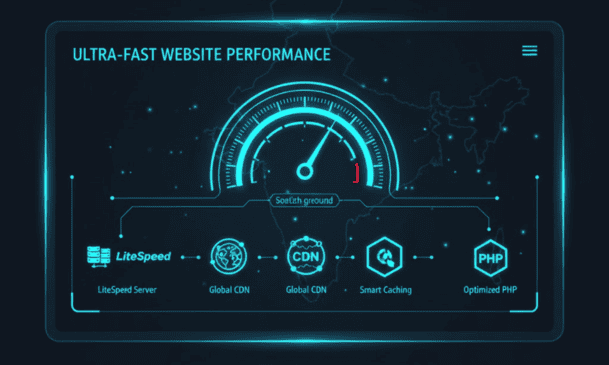


Website speed matters more than most people think. In India, where most traffic comes from mobile users on 4G and 5G networks, a one-second delay can noticeably drop conversions and increase drop-offs. If your site takes five seconds to load on a phone, many visitors may leave before they see your content.
If you’re on cPanel, you already have some powerful performance tools available — caching, compression, PHP optimisation, and more. This guide walks through 10 practical steps to speed up your cPanel-hosted website, whether you’re using free cPanel hosting or a paid hosting plan, with a focus on Indian audiences.
1. Turn On Server-Level Caching (LiteSpeed Cache / LSCache)
If your hosting provider uses the LiteSpeed web server then you’ll have access to LSCache — a server-level caching system for WordPress, Magento and other CMS platforms.
Server-level caching is full page caching, image optimization and object caching done at the server level as opposed to plugin based caching. This means pages will load faster, especially if your server is located in India.
What you get:
- Time To First Byte (TTFB)
- Better performance at traffic peaks
- Automatic CSS and JS Minification
- Image compression
Questions to ask your host: Do you include LiteSpeed in your plan? Is LSCache on by default, or do you have to enable it? If your host runs Apache or Nginx you will have to use a different caching method.
2. Use a CDN to Serve Static Files
Yes, your server may be in India but all of your visitors are not in one city. A Content Delivery Network (CDN) serves static files – images, CSS, JS, fonts – from edge locations closest to each visitor. A CDN with India PoPs reduces the response time whether they are located in Delhi, Bangalore or Mumbai.
Common CDN options:
- Cloudflare (free tier available)
- BunnyCDN
- Akamai
A CDN also helps prevent DDoS attacks on your site and reduces load on your origin server.
What to look for: Does the CDN have PoPs in India? How does pricing scale with bandwidth Read our guide to what a CDN is and how it improves website performance. for more.
3. Compress and Optimise Images
Images typically make up 60–70% of a page’s total weight. Large, uncompressed images are one of the biggest causes of slow loading — especially on mobile networks.
How to optimise images:
- Use WebP instead of JPG/PNG where possible
- Keep images under 150 KB when you can
- Use
srcsetfor responsive images - Enable image optimisation in LSCache if available
Tools you can use: Imagify, TinyPNG, ShortPixel, or WordPress’s built-in compression.
4. Turn On GZIP or Brotli Compression
Compression reduces the size of files before they reach the visitor’s browser, so pages load faster.
How to activate it:
- cPanel “Optimize Website”
- LiteSpeed Web Server (if your host uses it)
- Cloudflare Brotli Compression Setup
GZIP is OK. But Brotli is faster and better in most cases if your server supports it.
What to watch for: Compression already on? Some hosts have this enabled by default. Otherwise it’s usually a one click toggle in cpanel
5. Use the Latest Stable PHP Version
In cPanel, you can typically change your PHP version via PHP Selector. Newer versions (PHP 8.2 or 8.3) can handle much more requests per second than the older versions.
Reasons to upgrade to PHP:
- faster execution
- Enhanced security (patches end for older versions)
- Improved memory management
What to look for: What versions of PHP does your host offer? Do you switch between them without wasting time?
6. Minify HTML, CSS, and JS Files
Large CSS and JS files slow down your site. Minification removes unnecessary characters — spaces, comments, line breaks — without changing functionality.
Options for minification:
- LSCache (built-in)
- Autoptimize plugin
- WP Rocket
Minification helps improve Core Web Vitals and reduces total page weight.
7. Turn On HTTP/3 (QUIC) Support
HTTP/3 is a faster, more reliable protocol – especially on mobile data. On Indian networks, which aren’t always stable, HTTP/3 can make a big difference.
Advantages:
- Fast connection initiation
- reduced latency
- Improved performance in the event of lost packets
What to look for: Is your host supporting HTTP/3? Is it on by default? For a detailed comparison, see our guide on HTTP/2 vs HTTP/3.
8. Use Object Caching and Database Optimisation
WordPress, WooCommerce and other dynamic sites will be slow if your database is not well structured.
Database optimisation tips:
- Delete spam comments, revisions, and transients
- Object caching with Redis or Memcached
- Properly index database tables
What to consider: Are you planning to use Redis or Memcached? Do you need a plugin for object caching or is it at the server level?
9. Limit Heavy Plugins and Themes
The more plugins you have and the heavier they are the more CPU they eat and the slower your pages load.
How to do it:
- Remove unused plugins
- Opt for lightweight plugins instead of heavy options
- Avoid page builders that load many scripts
- Utilize lightweight themes such as GeneratePress, Astra, or block themes.
What to check: Audit your plugins every few months. If a plugin hasn’t been updated in a year or its support forum is full of complaints, consider replacing it.
10. Pick a High-Speed cPanel Hosting Provider Based in India
At the end of the day, if your hosting is slow, no amount of optimisation will fix it.
What to look for in a provider:
- Servers located in India
- LiteSpeed web server support
- NVMe SSD storage
- Sufficient CPU and RAM allocation
- Server-level caching
- 99.9% uptime guarantee
What to check: Where are the servers located? What’s the renewal price? Is LiteSpeed included or an add-on? For a full breakdown, see our guide on how to choose the right cPanel hosting plan.
Common Mistakes to Avoid
Optimising before choosing the right host. If your server is slow, no plugin will fix it.
Enabling too many caching layers. Plugin caching + server caching + CDN caching can conflict if not configured properly.
Ignoring mobile performance. Most Indian traffic is mobile. Test on 3G and 4G, not just Wi-Fi.
Skipping image compression. Images are the biggest culprit for slow page loads. Compress them before anything else.
Not testing changes. Use PageSpeed Insights or GTmetrix before and after each change. Measure, don’t guess.
Frequently Asked Questions
Do I need LiteSpeed for fast caching?
Not strictly, but LiteSpeed’s LSCache is one of the easier server-level caching options. If your host uses Nginx or Apache, you can still cache — it just requires different tools.
Is a free CDN good enough for Indian audiences?
Sometimes. Cloudflare’s free tier has India PoPs and works well for many sites. Paid plans offer more advanced features, but free is a reasonable starting point.
How often should I update PHP?
When a new stable version is released and your host supports it. Test first on a staging site — some plugins break on newer PHP versions.
Will minification break my site?
Occasionally, yes. Some themes and plugins don’t minify cleanly. Test on staging before pushing live.
What’s the single most impactful step?
Choosing the right host. If your server is slow, nothing else will make enough difference. After that, image compression and caching are the biggest wins.
Conclusion
There’s no magic setting to make a website hosted in cPanel in India faster. It’s about getting the basics right. Good hosting, good caching, image compression and the latest PHP.
Begin with the hosting. Then add caching and a CDN. Then optimize images and database; Test each change. Measure impact.