

When you’re picking cPanel hosting for a site that’s going to be dealing with US users, choosing the right cPanel hosting provider in the USA requires more than simply trusting a company’s claims. “Trust” comes down to a handful of verifiable things: where the servers actually are, what security really looks like, what uptime actually looks like, and how support handles things when they inevitably break. Here’s what to look for, and — more importantly — how to check it yourself before signing up with anyone.
1. Check Your Server Location
Server location directly affects how fast your site loads for visitors. If most of your audience is in the U.S., hosting on servers physically located there (or on a CDN with U.S. edge nodes) will generally give you lower latency than a server sitting somewhere else entirely.
How to check this yourself: skip the marketing page and run a traceroute, or use a service like ping.pe or uptrends.com to see the actual latency from U.S. locations to the specific server IP a provider would assign you. Some hosts advertise “global” or “US” infrastructure while actually reselling capacity from a third-party data center or CDN partner — not necessarily a bad thing, but worth knowing what you’re actually getting before you commit.
2. What cPanel Tells You About Hosting
cPanel is a popular control panel that lets you manage domains, email, files, and databases without touching the command line. It’s genuinely handy and beginner-friendly — but having cPanel access tells you nothing about the quality of the hosting underneath it. Two providers can both advertise “the latest cPanel” while running on very different hardware, with very different support quality and uptime.
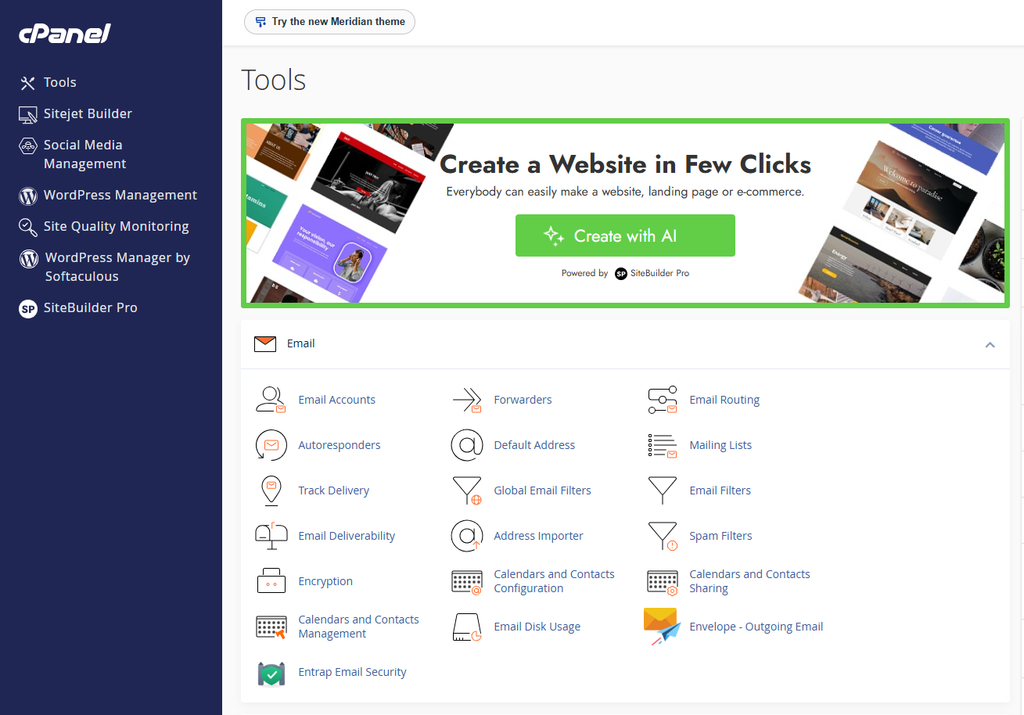
What to check instead: ask what’s actually running under the hood — Apache vs. LiteSpeed can make a real difference for speed—what resource limits apply to your plan (CPU, RAM, inode limits), and whether backups are automatic or something you have to remember to do yourself.
3. Security — Verify the Basics
A reasonable security baseline for any host includes a firewall, malware scanning, free SSL, and some form of DDoS mitigation. Nearly every hosting provider will claim all of this. For a deeper look at what to verify, see this guide on secure cPanel hosting and website security. The useful question is how these protections are actually implemented.
Worth asking directly:
- Is DDoS protection automatic, or something you have to request (and possibly pay extra for)?
- How often are backups taken, and how far back can you actually restore?
- Is malware scanning proactive — catching things before they infect your site — or reactive, cleaning up only after you report a problem?
4. Uptime — Check the Real Numbers
“High uptime” and “enterprise-grade infrastructure” are phrases nearly every host uses. What you actually need is a real number, and ideally, a public status page to back it up.
How to check: ask whether the provider publishes live uptime data — many rely on third-party monitors like UptimeRobot or StatusCake with a public dashboard — and check whether their Terms of Service include an SLA with an actual compensation policy if uptime falls below what’s promised. A number without that backing is just a marketing line.
5. Support — Test It Before You Buy
It’s genuinely hard to judge support quality from a sales page. The only real way to know is to try it before you decide.
Before signing up, send a real technical question through their pre-sales chat or ticket system and time how long it takes to get an actual answer. It’s also worth checking recent reviews on Trustpilot or similar independent sites — filtered to the last few months rather than all-time scores, since support quality can shift noticeably as a company scales.
6. Scalability
Shared cPanel hosting plans eventually hit their resource ceiling as traffic grows. Before you sign up, it’s worth asking about the upgrade path — can you move to cloud VPS hosting without a full site migration, and what does that actually cost when the time comes?
Further Reading: How to Find Affordable cPanel Hosting in the USA
Conclusion
There’s no single “most trustworthy” cPanel host — the right one depends on where your visitors are, your budget, and how much hands-on support you actually want. Whichever provider you’re considering, including Cyberin if that’s on your list, the process is the same: verify server location with an independent latency test, ask specific security and backup questions instead of accepting vague assurances, look for a real, public uptime dashboard, and test support response times before you hand over your card details.