

If you are using only HTML, CSS and maybe a little Javascript then you don’t always need a complex hosting setup. A static website is generally the quickest, cheapest & easiest way to get your site online. In this guide we will show you how to host a static website, explain why HTML hosting is the best solution for some projects and how to get started straight away.
Static websites are ideal for individuals or small businesses who want a trusted website, but don’t want to be constantly updating or need advanced features. With the right hosting you can have your site up and running in a few simple steps.
What is a Website That Stays the Same?
A static website where the content remains constant over time. Each page for visitors is the same HTML file. Static sites are simple, fast and reliable. However, dynamic sites use databases and server side scripting languages ( such as PHP or Python ) to create content that can change based on user interaction or other inputs .
Static websites are especially useful when you want a lightweight and consistent website. These can be great for showing information quickly and clearly without the backend processing that can bog you down.
Benefits of Static Websites
Some of the advantages of static websites over dynamic websites are:
- Loading speed: Static websites are really fast loading as they don’t have to query databases or generate content on the server.
- Static hosting is less costly and easier on servers than dynamic hosting.
- More Secure No server side scripts or databases means less chance to be exploited by hackers.
Static sites are great for blogs, portfolios, landing pages, small business websites, and informational sites. These are great if you want simple reliable presence online and don’t want to have to maintain it going forward.
When to Make a Static Website
Static hosting is a good fit for websites that:
- Not having to change much
- No login required and no need to frequently change content
- display info, images or videos mostly Simple light reliable something
if you are planning to build an e-commerce site or social network or database driven site then you should look into dynamic hosting solutions such as VPS or cloud hosting instead of static hosting. Static hosting isn’t ideal for websites that require complex functionality, frequent updates, or user-specific content.
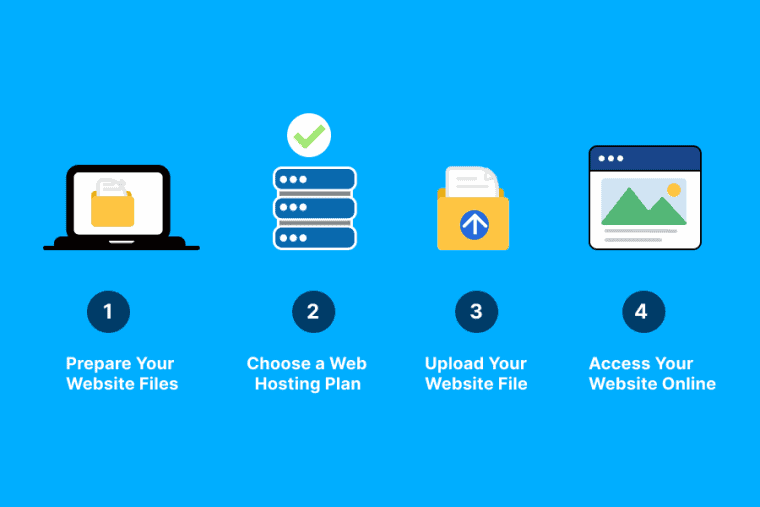
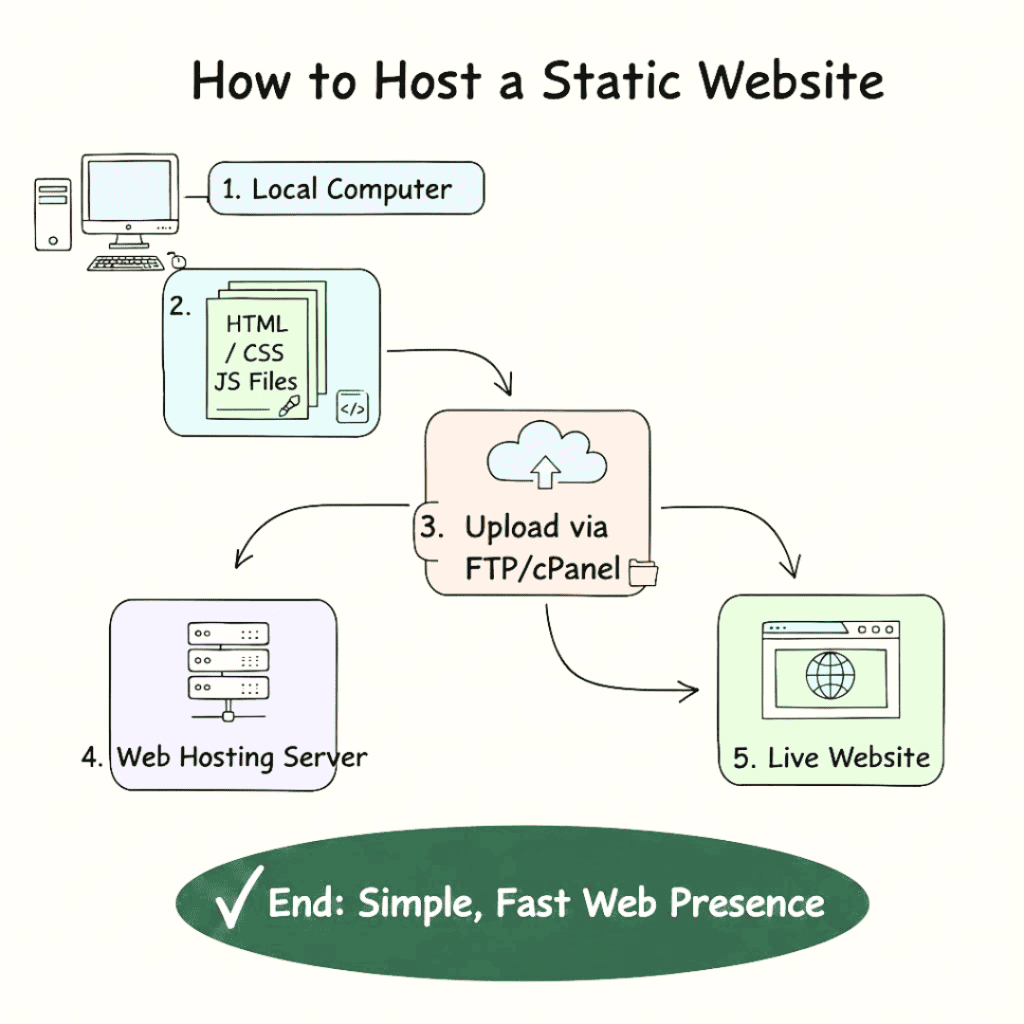
Step 1: Get the Files You Need for Your Website Ready
Get your files ready and get ready to upload your website:
index.html(the main page)- Other HTML pages, like
about.htmlandcontact.html - CSS files (
style.css) - JavaScript files (optional)
- video or media images
Having all your files in one folder to upload is helpful. Organise files well so when you launch your site, you don’t have broken links, missing images. If you don’t then you will get errors on upload So keep file names simple, consistent and descriptive.
Step 2: Choose a Hosting Company
You can host a static site on a regular web host or a static host specialized for that purpose.
cPanel Hosting:
- Popular choices are Bluehost and Hostinger. Another popular choice is Cyberin. They are a good option that provides easy file management system and support SSL certificates.
Static Hosting Platforms:
- Free or cheap hosting in GitHub pages, Netlify or Vercel for static sites automatically deploy from repos Global performance distribution.
cPanel hosting is friendly for beginners to upload and manage your website files with a friendly interface.
Step 3: Upload Your Files
If you are using cPanel, here’s how to do it:
- Log in to your hosting account.
- Open File Manager.
- Open the
public_htmlfolder, this is the root folder of your website. - Kindly upload all the html, css, javascript & media files here.
index.htmlis the top level and will be your homepage.
You can upload your files through an FTP client such as Filezilla. If you have a large website, or update your website often, then FTP is best.
Step 4: Look at Your Website
Once your files are uploaded, go to your domain (e.g., www.yourdomain.com) to:
- check that all pages are loading properly
- Make sure styles and links and images work.
- Check for broken links and missing files
Thoroughly test your website to ensure that your visitors have a smooth and error-free experience.
Step 5: Optional—Enable HTTPS
Add SSL for better domain security & SEO Most hosting companies (including Cyberin) will provide you with a free SSL certificate. You can turn it on your site will load over https:// and users will see your site is secure.
How to Make the Most of Static Website Hosting
Here are some tips to help you deliver the best performance and experience possible for visitors:
- Enable GZIP Compression: cPanel enables you to compress files to speed up the loading of your pages.
- Browser Caching:
.htaccessCache the assets that are frequently used on the user’s device. - Minify CSS & JavaScript Trim unnecessary characters to reduce the size and speed up your pages.
- Use a CDN: A content delivery network helps you to send your website’s content quickly to visitors around the world.
Conclusion
Static website hosting is an easy and inexpensive solution for small websites, portfolios and landing pages Services like Cyberin or GitHub Pages will help you get your site up quickly and reliably.
HTML hosting is perfect for static sites as it’s fast, secure and easy to use. Hosting static files is an easy way for a small business owner or personal project to have a professional web presence with very little effort.
