

The larger your site gets, the more it demands from your hosting. More visitors, more data, more moving parts — and eventually, a normal shared hosting plan buckles under that weight. It’s not always obvious when you’ve crossed that threshold, though. This guide walks through how to spot the signs that shared hosting has become your bottleneck, and what actually setting up and using cloud hosting looks like once you’ve made the switch.
The Trouble with Shared Hosting
Shared hosting is a great fit for new websites, small blogs, and startups — it’s cheap and easy to get running. As the name suggests, though, you’re sharing server resources (CPU, RAM, bandwidth) with a bunch of other sites. When one of those neighbors has a busy day, your site tends to feel it too.
You’re probably nearing the limits of shared hosting india if:
- Your traffic is growing rapidly
- Server resources are being stretched thin across other sites sharing your server
- Your app could use a bit more processing power
- You need more customization or root access than a shared plan allows
None of this means shared hosting is bad — it just has a ceiling. If you’re running a high-traffic site, a resource-heavy application, or anything that needs to stay consistently fast, you’ll hit that ceiling eventually.
Five Signs It’s Time to Switch to Cloud Hosting
Your traffic is climbing fast. A successful ad campaign, a viral post, or just steady organic growth can push your traffic up faster than shared hosting can keep pace with. With cloud hosting, you add resources as you need them, so a spike in visitors doesn’t have to mean a crashed site.
Your website is slow or buggy. Your visitors get frustrated by slow pages, and it hurts your SEO. If you find yourself seeing performance drops repeatedly, a cloud server with dedicated resources will typically offer much more stable speed and uptime.
You want more isolation and protection. On shared hosting, you’re on the same server as other users — and occasionally, a vulnerability on someone else’s site can end up becoming your problem too. Cloud hosting gives each user their own isolated environment, usually with stronger security built in.
You’re running resource-heavy applications. LMS platforms, CRMs, e-commerce stores, or even a WordPress install loaded with plugins tend to outgrow shared hosting’s limited resources fairly quickly.
Requires root access or custom server configuration. If your setup demands custom modules or specific server configurations, shared hosting will not offer the flexibility you need.
How to Set Up and Use Cloud Hosting
So you’ve decided cloud hosting is the way to go, but what is it like to set up and use in the real world?
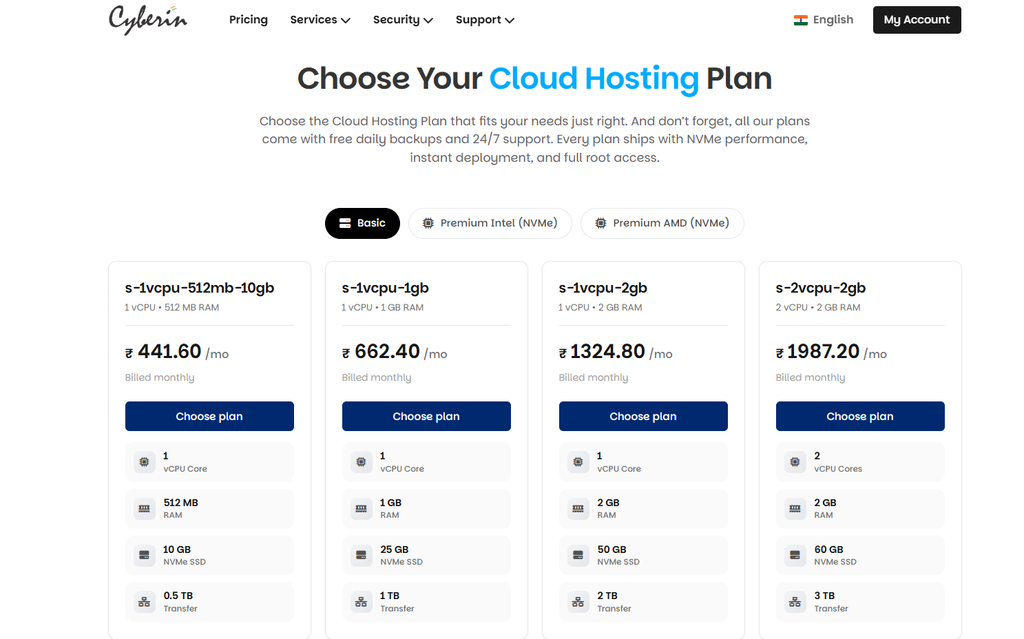
1. Choose a plan based on your resource needs.
Begin by estimating your current traffic, storage needs, and application requirements. Cloud plans typically allow you to scale cpu, ram and storage so choose a starting tier that will easily handle your current load – you can scale up later without having to migrate again.
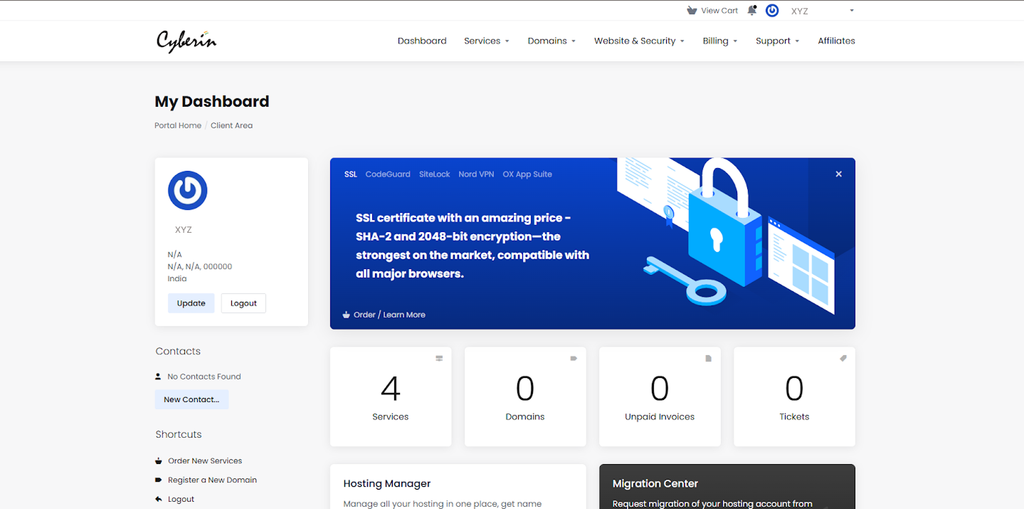
2. Login to your cloud server dashboard.
Once you register, you can access your control panel. This is where you manage your server. You can see resource usage, change settings and (if you have root access) manage the server beyond the standard shared hosting panel.
3. Move or expand your website
If you’re coming from an existing host, you’ll need to transfer your files and database. Export your database, copy your files over (especially anything inside wp-content if you’re on WordPress) using tools like phpMyAdmin, upload everything to the new server, and update your configuration to point to the new database. If you want the full breakdown of doing this without downtime, it’s worth reading through beforehand.
4. Configure resource allocation.
Development of resource allocation One of the biggest benefits of cloud hosting is that the limits of resources are undefined. As your needs change you can usually adjust CPU, RAM and storage allocation from your dashboard – handy if you know a traffic spike is on the horizon and want to scale up temporarily.
5. Set up monitoring and security features.
Implement Monitoring and Security Features Enable the security features included with your plan, like firewalls, malware scans and DDoS protection. Monitor your resource usage dashboard and scale ahead of time, not after a traffic spike.
6. Test everything before the full switchover
Before pointing your domain’s DNS to the new server, confirm everything works properly in the new environment — pages, forms, plugins, database connections, all of it. A quick staging environment test here goes a long way toward preventing downtime during the actual switch.
What Cloud Hosting Actually Gives You
Room to scale when you need it. Add RAM, CPU, or storage on the fly, rather than being boxed into a fixed plan you’ll eventually outgrow.
More speed, more consistently. Dedicated resources, optimized network routing, and SSD storage generally add up to faster load times.
Stronger security. Firewalls, DDoS protection, and encrypted, isolated environments reduce the risk that comes from sitting on a server with unrelated sites.
More reliability. Cloud servers are networked together, so if one runs into trouble, another can pick up the slack — which usually means less downtime than you’d see on a single shared server.
Genuine control. Configure things the way you actually need them, deploy custom apps, host larger databases, and run resource-intensive tasks without fighting your hosting environment.
Conclusion
Moving from shared to cloud hosting isn’t about chasing more power for the sake of it — it’s about making sure your infrastructure can actually keep up with growing traffic, applications, and user expectations. If you’re seeing the signs above, work through the setup steps at your own pace, test thoroughly before flipping your DNS over, and scale resources based on what you’re actually using rather than guessing upfront. And if you’re eventually running several sites on the same infrastructure, it’s worth reading up on hosting multiple websites on one server too.