


If you use cPanel shared hosting to run a website, you’ve probably seen things like CPU usage, RAM usage, I/O usage, Entry Processes, and Inodes in your hosting dashboard. These metrics determine how well your WordPress, e-commerce, or business site runs, especially when there is a lot of traffic. For a lot of Indian website owners, knowing these limits is important to keep their sites from going down, slowing down, or getting their accounts suspended without warning.
This guide tells you what each resource means and how many pageviews they can usually handle, and when you should change your hosting plan.
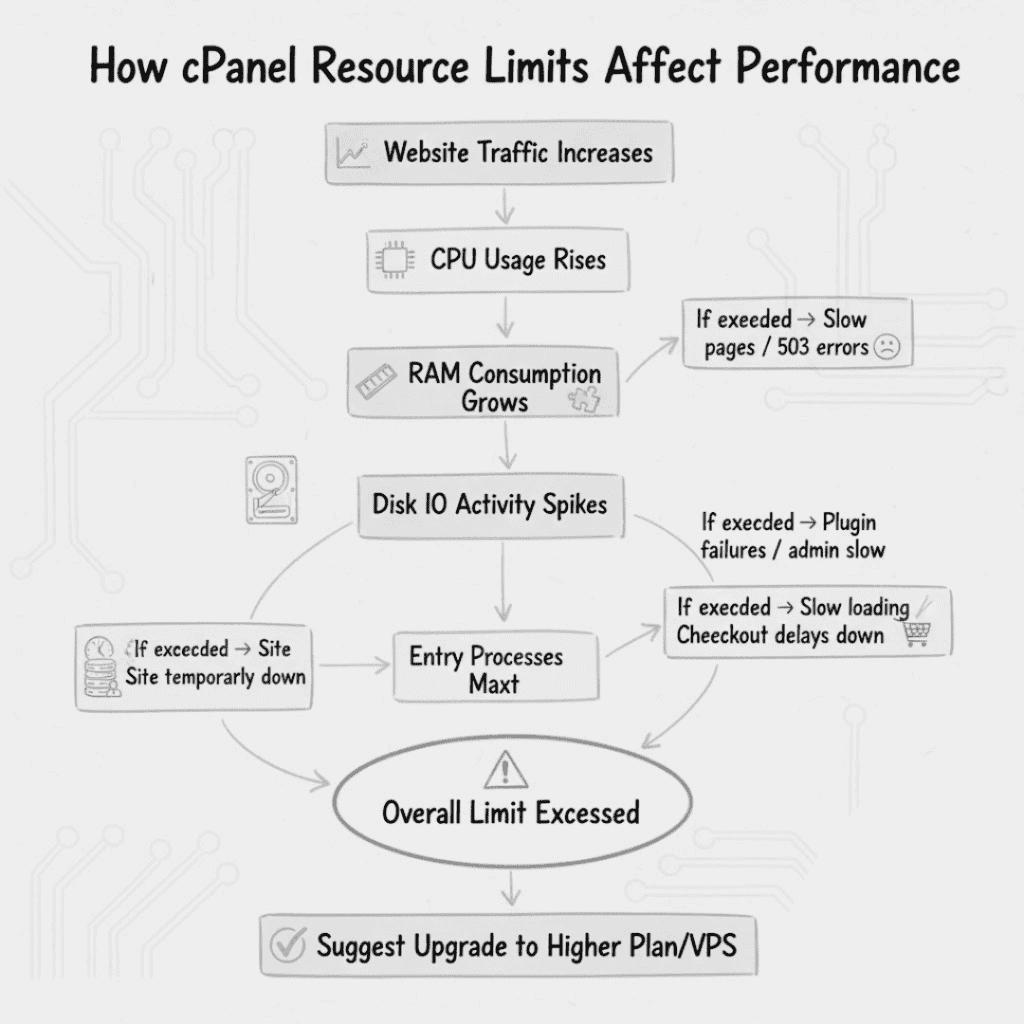
1. What CPU Limits Mean for Shared Hosting
Each cPanel shared hosting account gets a part or percentage of a CPU core. This is usually 1 core, 50% of a core, or 100% of a shared CPU.
What the CPU Does
The CPU does:
- PHP execution
- WordPress and PHP plugins
- Questions about the database
- Cron jobs
- Processes in the background
When the CPU is at 100%, pages load slowly or give 503 errors.
Typical Pageviews CPU Can Handle (India-based traffic)
Assuming that your WordPress site is well-optimized and has caching:
| Server CPU Allocation | Pageviews/Day | Ideal Use Case |
|---|---|---|
| Half CPU core | 1,000–2,000 | Small blog, portfolio |
| 1 CPU core | 5,000–10,000 | Site for business, medium blog |
| 2 CPU cores | 20,000–50,000 | High-traffic news and e-commerce |
In India, peak hour bursts are more important because most traffic comes in between 7 PM and 11 PM IST. You need to upgrade your CPU even if your daily pageviews don’t seem too high during these hours.
2. What RAM Limits Mean
RAM is the memory your website uses to run PHP scripts, database queries, and caching.
Why RAM Is Important
When there isn’t enough RAM:
- WordPress admin gets slow
- Plugins don’t install or update
- PHP processes stop working
- Heavy themes make mistakes happen
What Indian Websites Need in RAM
| RAM Distribution | What It Can Do |
|---|---|
| 512 MB | Basic blog, pages that don’t change |
| 1 GB | Normal WordPress site, 20–30 add-ons |
| 2 GB | WooCommerce store, heavy topics |
| 4 GB | Big e-commerce, LMS, news websites |
Indian websites often use heavy setups with plugins like Yoast SEO, WooCommerce, Elementor, SMTP, and security plugins. This quickly uses up a lot of RAM.
3. What “Disk Input/Output” Limits Mean
Disk I/O tells the server how fast it can read or write files. It has an effect on:
- Speed of page loading
- Heavy pages and images
- Backup and restore operations
- Questions about WooCommerce products
Typical shared hosting I/O limits are 1 MB/s to 10 MB/s.
How Much Traffic I/O Can Handle
| I/O Speed | Normal Performance |
|---|---|
| 1 MB/s | 1–2 visitors per second |
| 5 MB/s | 5–10 visitors per second |
| 10 MB/s | 15–20 visitors per second |
For Indian online stores, during festival seasons like Diwali, Eid, and New Year’s sales, I/O spikes happen, which makes checkout pages slow unless they are upgraded.
4. Entry Processes and Visitors at the Same Time
Entry Processes (EP) show how many PHP processes can run at the same time. This has a direct effect on visitors in real time.
| Entry Processes | Concurrent Visitors | Notes |
|---|---|---|
| 10 EP | 10–20 users | Basic shared hosting |
| 20 EP | 20–40 users | Shared plan for mid-level sites |
| 50 EP | 50–100 users | E-commerce or news |
In India, a sudden surge of traffic from WhatsApp shares or Instagram reels can bring down a site if EP limits are too low.
5. How Many Pageviews Can a Shared Hosting Account Handle in Total?
For a typical Indian WordPress site that uses caching and a CDN:
| Type of Hosting | Daily Pageviews |
|---|---|
| Basic Shared Hosting | 1,000–3,000 |
| Mid-level Shared | 10,000–20,000 |
| High-end Shared | 30,000–50,000 |
| Cloud/VPS | 100,000+ |
The numbers change based on the weight of the theme, the plugins, the traffic spikes, and the type of content (blogs vs. products).
6. When Should You Upgrade Your Hosting?
You should upgrade your plan when you notice any of the following:
a) CPU always over 80%
Indian evenings and traffic spikes often cause the CPU to overload.
b) RAM running out while editing or updating plugins
Common for users of Elementor and WooCommerce.
c) I/O use is over 70–90%
Shows slow disk access (common on shared servers).
d) Entry processes reaching their limit
Causes the site to go down when there is a lot of traffic.
e) Hosting support tells you to stop abusing resources
A sign that your website has outgrown shared hosting.
f) WooCommerce or E-commerce is slow to load
Dynamic pages make e-commerce need more resources.
Conclusion
Knowing the limits of your resources in cPanel shared hosting can help you plan for growth and avoid slowdowns, especially with Indian traffic patterns that aren’t always predictable. CPU handles processing, RAM handles memory, I/O handles speed, and entry processes define concurrent users. As your website gets more than a few thousand pageviews a day, upgrading to a higher shared plan or VPS ensures fast and stable performance for your users.
