

Website security is no longer optional in the digital age. If you have a blog or business website or online store, poor web hosting security can lead to data loss, hacking, downtime and loss of customers’ trust. By choosing secure web hosting and following best practices, your site will be more secure against cyber threats, and users will also feel more secure.
In this guide, we’ll go through the most important things you need to know about web hosting security – SSL certificates, daily backups, malware protection, secure configurations, and simple ways to keep your hosted site secure.
Why Is It Important to Keep Your Web Hosting Safe?
Web hosting security is a measure to protect your website’s files, databases, user information and server resources from attacks.
One security breach can lead to:
- Hacking a website to vandalize or insert malware
- privacy law breaches and theft of data
- Search engines could blacklist or penalize you
- High bounce rates due to browser security warnings
Hosting your site securely builds trust and SEO and keeps it up and running always.
SSL Certificates: The First Line of Defense
SSL, or Secure Sockets Layer, certificates encrypt data being sent back and forth between your website and your visitors’ browsers to keep that data safe from prying eyes. It helps prevent hackers from stealing private information such as logins and contact forms.
Benefits of SSL Certificates
- Blocks web traffic
- In web browsers it displays HTTPS and a lock icon
- Enhances Search Engine Ranking
- It helps in increasing the visitor retention and reducing the bounce rate.
The Free SSL Benefit of Cyberin
Cyberin provides free SSL certificates with their hosting plans. So you can protect your website immediately without any additional cost. Automatic SSL installation means your site is safe and trusted by search engines and visitors alike.
The Best Way to Keep Your Data Safe Is to Back It Up Every Day
Even with good security things like hacking, accidental file deletions, or a server going down can still occur. A safety net that allows you to get your site back up and running quickly is daily backups.
Why You Should Make a Backup Every Day
- How you recover from a malware or hack
- Recover your data after an update or error
- Ensure files are not accidentally deleted
- less time spent on
Thanks to the regular backup features, you can easily restore your website data with Cyberin . This will reduce your stress and protect your business from long-term damage.
Keeping an Eye on and Protecting Against Malware
Sites usually get hacked because of old plugins, weak passwords or insecure server settings. After being inside, your site may redirect users to another location, display spammy content, or get blacklisted by search engines.
Important Things to Have to Protect Against Malware
- Checking the server for malware
- Firewalls don’t allow
- Automated Threat Detection
- Put infected accounts into their own group
Cyberin and other secure web hosting companies offer malware protection tools that monitor threats and keep your site safe and clean.
Settings for a Safe Server
Server configuration plays a big role in the security of web hosting. Misconfigured servers are easy targets for attackers.
Best Ways to Set Up Secure Settings
- New Versions of OS and Software
- Secure file permissions
- Disabled unnecessary services
- Firewall rules that work
These technical jobs are handled by managed hosting solutions so you can rest assured that your server is secure and operating at its peak potential.
How to Keep Your Hosted Website Safe
Even if your hosting is secure, website owners should follow these best practices:
Make Sure Your Passwords Are Hard to Guess
Use strong passwords for your cPanel, FTP, email, and admin accounts. You shouldn’t use the same password on more than one site.
Get the Latest Version of Your Software
Close off known security holes by updating your themes and plugins, especially for CMS platforms like WordPress.
Enable Two-Factor Authentication
“That’s another step in the access check so there’s less opportunity for someone to get in there without authorization.”
Limit User Access
Simply give users the permissions they need to lower the risk of security issues internally.
How Secure Web Hosting Makes People Stay on Your Site Longer
People will likely leave sites that show security warnings or load suspicious scripts.
Secure web hosting makes:
- The page reliability and trustworthiness
- trust users when they browse
- Conversions and Form
Cyberin’s free SSL, working backups and malware protection keep your site looking safe and professional. Get visitors to stay longer and engage more.
Conclusion
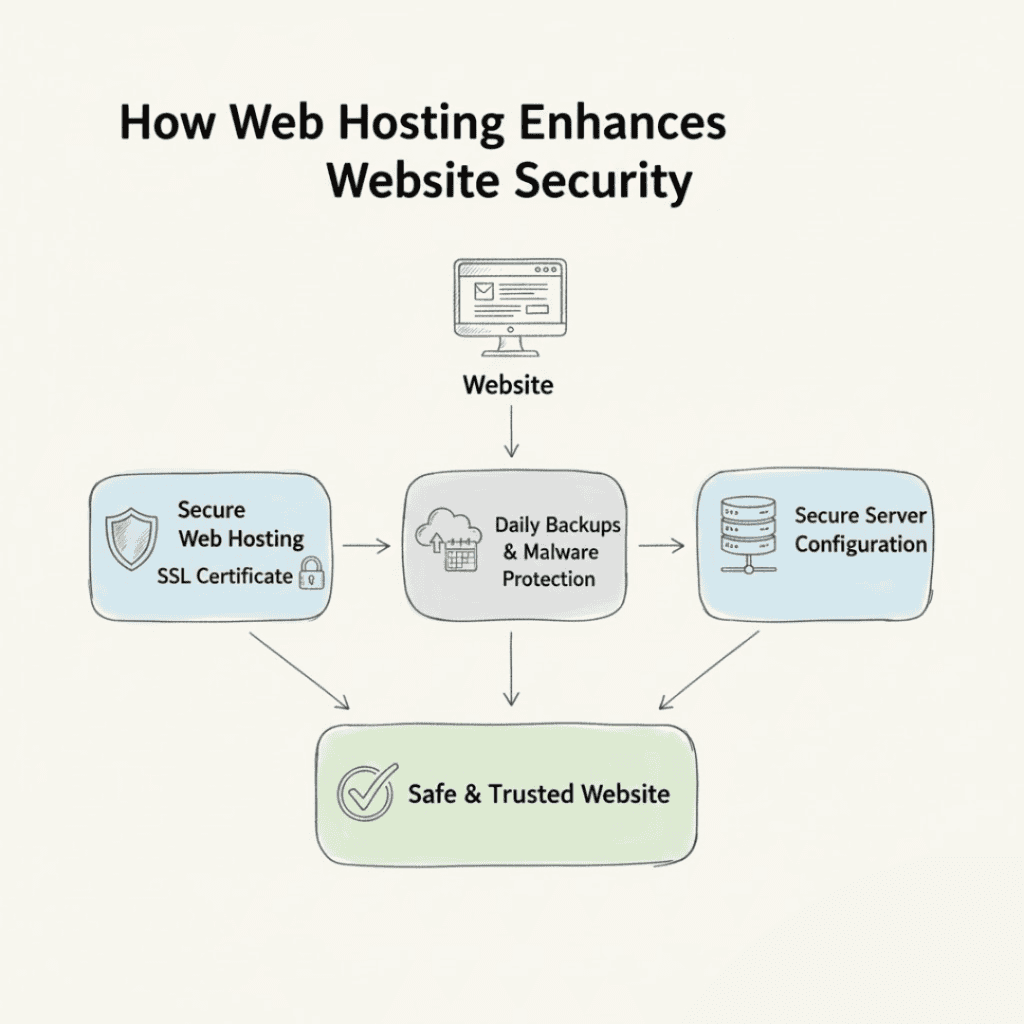
Good web hosting security is vital if you want a website you can trust. Each layer is valuable enough to keep your site safe. These include things like SSL certificates, daily backups, malware protection, and safe server setups.
Cyberin is a hassle-free web host that includes free SSL and built-in backup features. This will help you to protect your website, improve your SEO and reduce your bounce rate. Security is an investment you make today for saving time, money and your good name tomorrow.