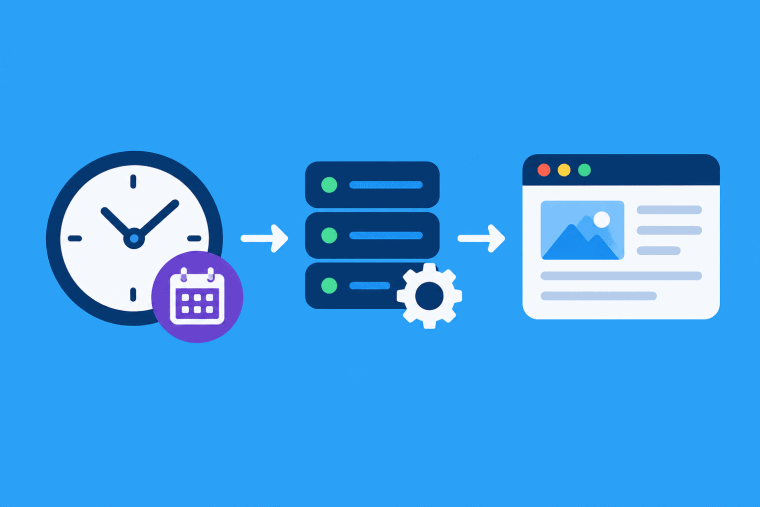


There is a lot of repetitive work to do to run a website. Backups, cache cleanups, email sendings, script executions, database updates. You can’t do these things manually, without taking time, without risking error.
Cron Job comes to the rescue. A cron job is a way to schedule commands or scripts to run automatically at certain times. It is commonly used on Linux servers and can be accessed through hosting control panels such as cPanel.
What Is a Cron Job?
A Cron Job is a scheduled task at the server level and that runs at a specific time or interval. The word cron is from the Greek word for time, chronos.
Rather than manually running a command once a day or once an hour, you are able to set up a cron job to do this for you automatically.
For example you could schedule a back-up script to run at 2:00 a.m. every nite. When the server is properly configured it will perform the task automatically without any human intervention.
How Does a Cron Job Work?
cron daemon is a background service to run cron jobs in Linux systems. Cron service is used to run scheduled tasks at the time it is scheduled to run.
A cron job usually has 2 parts:
- Schedule: When the task takes place.
- The command to run on the server.
Such as:
0 2 * * * /home/user/backup.shThis command will run the backup.sh script every day at 2AM.
Understanding Cron Syntax
Cron uses 5 time fields to define a schedule. The time fields are
* * * * * command
│ │ │ │ │
│ │ │ │ └── Day of week
│ │ │ └──── Month
│ │ └────── Day of month
│ └──────── Hour
└────────── Minute
Here are some common examples:
0 * * * * commandevery hour run.
0 0 * * * commandDay at midnight to run.
0 3 * * 0 commandRuns every Sunday at 3:00 AM.
*/15 * * * * commandRuns every 15 minutes.
Understanding these five fields makes it easier to create reliable schedules.
Common Uses of Cron Jobs
Cron jobs work great for many server and website tasks. Some common examples are
Automatic Backups
You are able to set up scripts to automatically back up your database or website. Regular backups can help protect your data in case files are accidentally deleted or a website is having a problem.
Email Notifications
You can schedule scripts to run as cron jobs that produce reports, reminders or system notices.
Cache Clearing
Often caching is used to improve performance, especially in web applications. You can schedule commands to refresh and reset cached data automatically as needed.
Database Tuning
You are able to set up your database maintenance scripts to run via cron jobs. This can help automate repetitive work on clean-up and optimization.
Renewing SSL Certificates
Some servers check SSL certificates, and renew them before they expire, by using scheduled tasks.
Scheduled Scripts
Automatic execution of PHP, Python, Bash and other scripts for data processing, synchronization, imports, maintenance etc.
How to Set Up a Cron Job in cPanel
If your host has cPanel you can create cron jobs without having to use the Linux command line.
Here’s what you need to do:
Step 1: Log in to cPanel
Log into your host control panel.
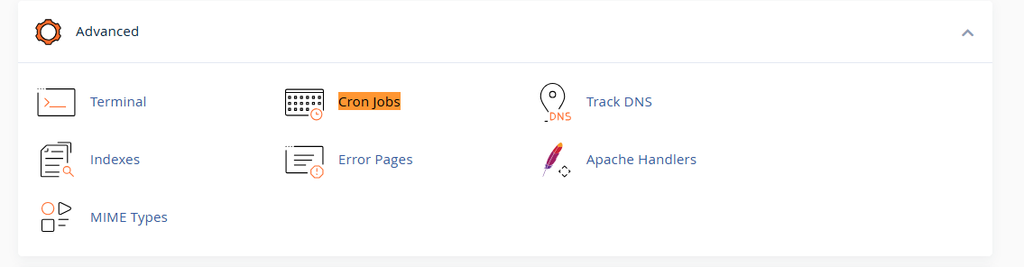
Step 2: Open Cron Jobs
Check Advanced or something for Cron Jobs.
Step 3: Select a Schedule
Enter the frequency with which the task should run. In cpanel you will commonly see options like every 5 mins, hourly, daily, weekly, monthly etc.
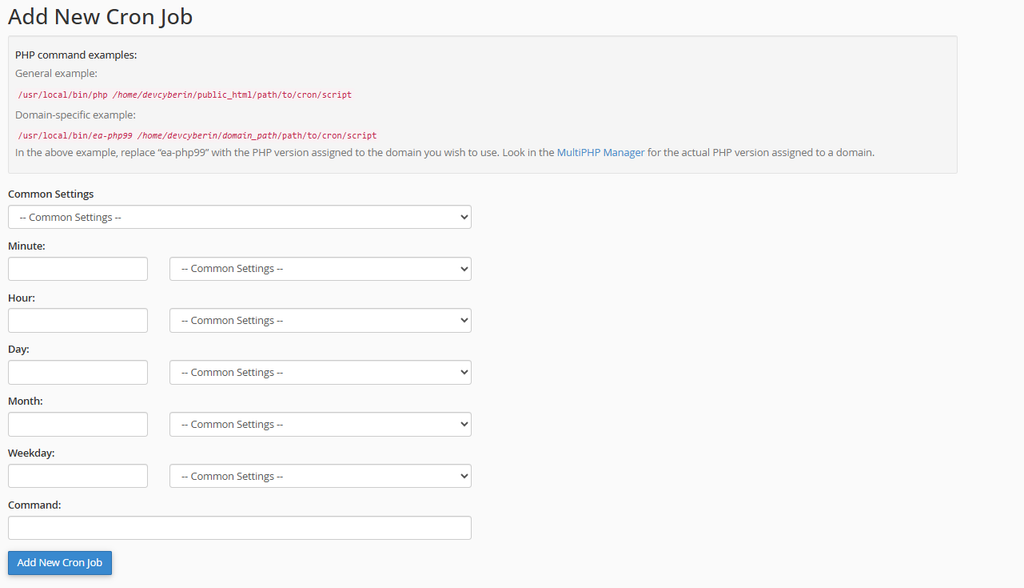
Step 4: Enter the Command
Run the command
For example:
/usr/local/bin/php /home/user/public_html/script.phpStep 5: Create the Cron Job
Check schedule and command and click Add New Cron Job.
Then the server executes the command at the time you choose.
How to Create a Cron Job in Linux Command Line
In Linux, you can control cron jobs from the terminal.
Begin:
crontab -eSchedule and command on a new line:
30 1 * * * /home/user/scripts/backup.shThis example executes the backup script everyday at 01:30 am.
Make sure the script has the correct permissions and paths to the files.
Troubleshooting Cron Jobs
Sometimes cronjobs don’t fire when they are supposed to. 1. Run the command directly in the terminal.
See also:
- The way to the script is good.
- The selected PHP/Python version is the correct one.
- Script permissions are correct.
- You can read environment variables.
- The cron schedule has been setup correctly.
- Logs and error logs
You can write to a log file for easier debugging:
0 2 * * * /home/user/script.sh >> /home/user/cron.log 2>&1This will write normal output and errors to cron.log
Cron Job Security Considerations
Cron jobs run on their own so security is important. Run trusted scripts only. Never run commands you copy from strangers.
Use absolute paths, not depending on the server’s environment. Scripts containing sensitive information were secured with a passcode or API key. Also, only give scripts the permissions they really need.
From time to time, review your old cron jobs and delete those that are no longer needed.
Conclusion
Cron jobs are an easy and effective way to automate repetitive tasks on servers and websites. They can do automated backups, database maintenance, notifications, scheduled scripts and so on. This removes manual work and normalizes routine operations.
Whether you’re running cron jobs from cPanel or the Linux command line, understanding the syntax of cron and some basic troubleshooting will help you configure reliable automated tasks. Always thoroughly test new cron jobs, and use good security practices, to avoid unexpected problems on your server.