

Choosing a hosting plan is only the first step in running a successful website. Many website owners make common web hosting mistakes which can impact website speed, security, uptime and search rankings.
Some problems are due to choosing the wrong hosting plan and others are due to ignoring backups, updates, SSL and server settings. The good news is, most of these problems are easy to prevent. If you go about it the right way.
25 Common Web Hosting Mistakes and How to Avoid Them
1. Choosing the Wrong Hosting Plan
One of the greatest mistakes people make with web hosting is to choose a plan based on price alone. A small shared hosting plan may be okay for a new blog, but not a busy online store.
How to avoid: Consider your website traffic, storage needs, applications, database usage and expected growth when selecting a plan.
2. Focusing Only on the Cheapest Price
Low-cost hosting may seem tempting but you may find that the cheapest one does not have enough resources, support, backups or security features.
How to stop it: Don’t just look at the price tag. Compare resources, uptime, support, backup policies and security features, and renewal prices.
3. Ignoring Website Backups
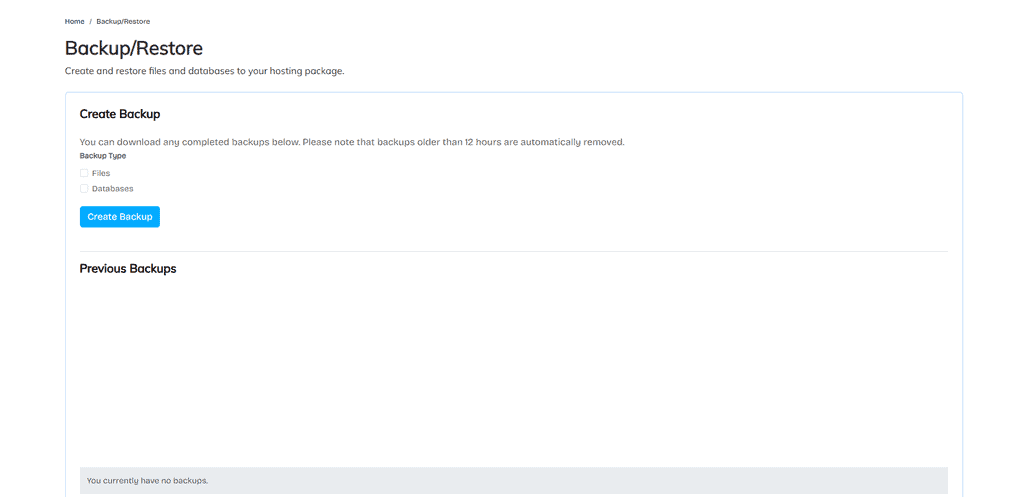
A website can crash due to plugin conflicts, server issues, accidental deletions, or security attacks. Sometimes, without a backup, it can be hard to get your website back.
How to prevent it. Set up automated backups on a regular basis and store copies in a different location.
4. Using Weak Hosting Passwords
Weak passwords make your hosting account a more tempting target for attackers. When a control panel account is compromised, it also compromises the websites, databases, email accounts and files.
How to avoid it: Use long unique passwords and enable two-factor authentication if your hosting provider offers it.
5. Not Installing an SSL Certificate
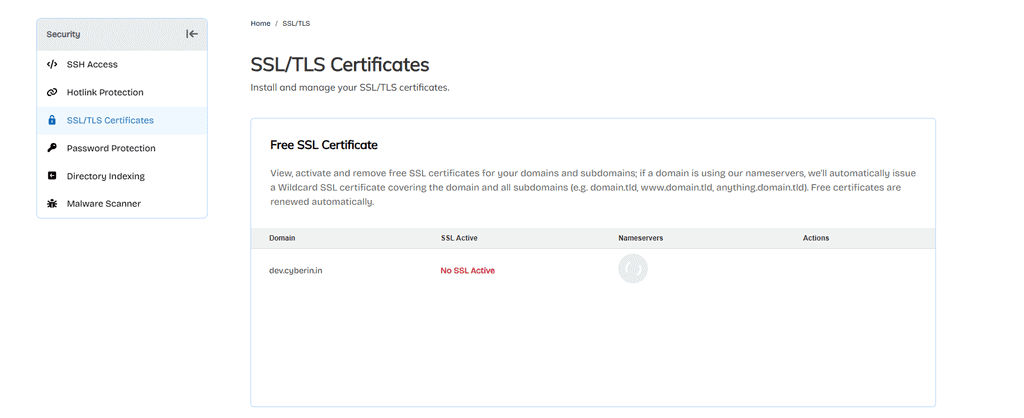
A non-HTTPS website will reduce the trust of the visitors and will leave the data that is being sent between the browser and the server unprotected.
How to prevent it: SSL Certificate Protect your website. Make sure your website is served over HTTPS across the pages.
6. Forgetting to Renew the Domain
Your hosting account can be active anytime and not only when your domain expires. In such an event your visitors might not be able to visit your website any more.
How to solve it: Keep your payment information current and enable auto-renew on your domain.
7. Ignoring Software and Plugin Updates
Older versions of WordPress, plugins, themes and server software have security weaknesses. Or they can cause performance and compatibility issues.
How to avoid it: Regularly check for updates and test critical updates before applying them to a production website.
8. Installing Too Many Plugins
Loading a plugin for each and every little feature can increase database queries, javascript, css and server processing. Remaining plugins security risks To reduce this risk: Remove all unnecessary plugins. Only keep trusted extensions, which are regularly updated.
9. Ignoring Website Speed
Website speed impacts user perception and performance in search. Slow loading pages can be caused by large images, too many scripts and wrong server configuration.
How to fix it: Compress images, enable caching, delete unnecessary scripts, choose hosting that suits your traffic.
10. Not Using Caching
We don’t have to produce the same content over and over for each page request. Caching is a must, or else you’re making your server work harder than it needs to.
How to avoid it Use the appropriate page, browser, object, or server level cache depending on your website platform.
11. Choosing a Server Location Without Considering Visitors
Server location can have an impact on latency. A request to a server far away from the bulk of your visitors (say a server in another country) could take longer to reach the server.
How to Avoid: Locate your data center reasonably near your main customer base.
12. Ignoring Uptime Monitoring
The site could go down and the owner might not even realize it right away. Long downtimes mean lost visitors, sales and faith.
How to repair it: Configure an uptime monitoring tool and get notified when your site is down.
13. Not Monitoring Hosting Resources
Limits of Shared & VPS Hosting Plans. If your site is slow or down it could be because of high CPU, RAM, Storage or Database usage.
How to avoid it Monitor your resource usage in your hosting control panel and upgrade when you’re consistently bumping up against your limits.
14. Poor Database Maintenance
Over time, databases collect revisions, temporary data, spam comments, and records that are no longer in use. A database can get to unreasonable size if it is not properly maintained.
How to fix Carefully delete the unneeded data. Always back up your database before making any changes.
15. Uploading Unoptimized Images
High resolution images take a lot of space and also slow down the page loading speed.
How to fix it Resize images to the right size, and use modern formats like WebP, AVIF if supported
16. Ignoring Server Security
SSL certificate installation is not only about securing a website; Weak account security, open services, poor permissions and out-of-date software are all vulnerabilities.
How do you get out of it? Employ firewalls, malware scanning, secure permissions, frequent updates, strong passwords and other security controls available to you in your hosting environment.
17. Using Incorrect File Permissions
Incorrect file and folder permissions can cause your sites to behave incorrectly or expose sensitive files.
How to fix Make sure you have the permissions in your host environment. Ensure that any files and directories that should not be writable are not writable.
18. Keeping Unused Files and Accounts
There are old backups of the website, temporary files, unused installations and an inactive account taking up space and creating security risk.
How to Prevent It? Log in to your hosting account regularly and remove unnecessary files, databases, domains and accounts.
19. Ignoring DNS Settings
Wrong DNS records mean people can’t find your web site, or your email services won’t function.
To avoid this, get to know the major kinds of records such as A, AAAA, CNAME, MX, TXT, SPF and DKIM before you make any modifications to your DNS settings.
20. Making Server Changes Without Backups
Change PHP versions, server settings, DNS records, application settings without preparation and you might break a working website.
How to prevent it: Make sure you copy down your current settings before making any big changes and make a backup. Test critical changes as often as you can.
21. Not Checking Hosting Support
Good tech support can save you a ton of time if something goes badly. If you don’t know what support you have available when you choose a provider, you can become frustrated later.
How to avoid it Check the support availability, its response time, technical expertise and coverage of support before buying hosting.
22. Ignoring Email Configuration
Bad MX, SPF, DKIM or other mail settings can result in messages failing, going to spam or not arriving.
How to avoid this: ” When you change hosting or email providers, make sure to check your DNS and email settings.
23. Running Everything on One Server
The more applications, databases, email services and websites you put on a single server, the more resource conflicts you have as your workload increases.
How to avoid it: If you’ve got a big site, consider breaking up your workloads, or moving to infrastructure with dedicated resources.
24. Not Planning for Website Growth
And what works for your hosting plan today may not be able to handle your traffic six months from now. Fast growth can mean slow loading speeds and scarce resources
Prevention: From time to time, review the use of traffic and resources. Choose a host that allows easy upgrades as you grow.
25. Never Reviewing Your Hosting Setup
Your site is getting larger. And so your hosting needs. What worked when you launched your site may not be the best approach anymore.
How to avoid this: Review your hosting plan security, backups, performance, resource usage and monitoring regularly.
How to Avoid Web Hosting Mistakes
You don’t have to be a server administration guru to avoid web hosting mistakes. Choose a good hosting plan and keep your website software updated at all times.
Always back-up your data regularly and secure your hosting account with strong passwords and two-factor authentication. Keep SSL. Monitor uptime and resource usage.
Also the website performance should be monitored on a regular basis. If your traffic is increasing, you might want to check to see if your current hosting resources can support the extra work.
Conclusion
Small hosting problems left unchecked can become big problems. Slow performance, security vulnerabilities, downtime and lost data can all impact your website and business.
Hosting is a commitment, not a one-time purchase. Choose the right resources, back up your data regularly, keep your software updated, monitor your website, and review your hosting arrangement as your needs change.
By avoiding these web hosting mistakes you will make sure that your visitors get a faster, safer and more reliable website.