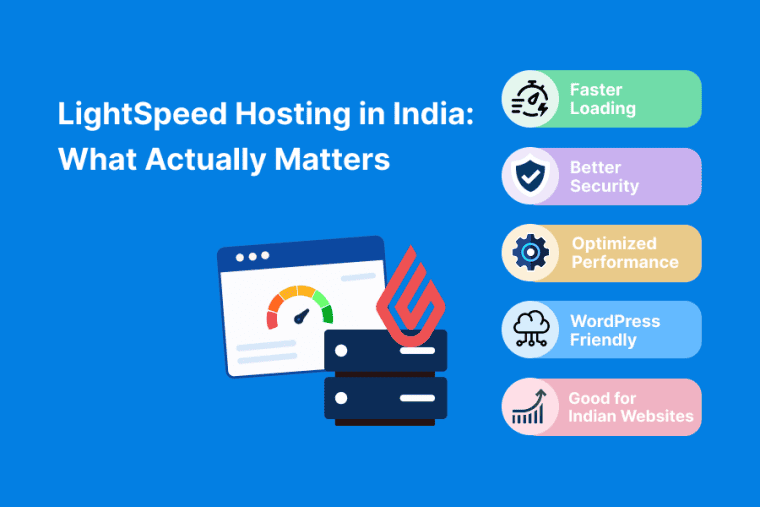


It is not hard to understand why LiteSpeed hosting is becoming a more and more common choice for Indian website owners.
It has been shown to enhance performance in several ways:
- Quicker server answers
- Improved support for multiple connections
- Internal cache (WordPress especially)
- Lower latency for end users
However, all hosting providers don’t provide LiteSpeed in the same way. Others say it is on all the plans. Others only at premium levels. And some say they support LiteSpeed but give you something else. This guide goes over the most important considerations when picking a LiteSpeed hosting provider in India – what to look out for, what to steer clear of, and how to compare your options without falling for marketing fluff.
This guide will tell you in plain English if you’re looking for a hosting provider that actually delivers LiteSpeed performance. You’ll discover what LiteSpeed really does, what to look out for when buying and how to test the performance yourself.
What Is LiteSpeed Hosting?
LiteSpeed is a web server, which is generally faster than Apache for WordPress and other CMS platforms.
It contains:
- LSCache – server level caching for faster load times
- Improved concurrent connection handling – handy for traffic spikes
- Less CPU usage — helps on shared hosting providers
- Support for HTTP/3 and Brotli compression
LiteSpeed with LSCache can make a noticeable difference in page load times especially for WordPress sites. For a more in-depth comparison, check out our guide on LiteSpeed vs Apache vs Nginx.
What to Check Before Choosing a LiteSpeed Host
Know what REALLY matters before you compare Providers.
1. Is LiteSpeed Included on All Plans?
LiteSpeed is offered with all plans by some providers. Others are only on premium levels. Check before you buy. A cheap plan that does not include LiteSpeed is not a LiteSpeed plan.
2. Is LSCache Enabled?
LiteSpeed is so fast because of its caching system (LSCache). “If the host doesn’t turn it on, you’re not getting the full benefit. Make sure LSCache is in the product or you have a plugin.
3. Server Location
India-based servers means lower latency for Indian audiences. If your audience is international, look for multiple data center locations or a CDN. Here is how server location affects site speed in India.
4. Storage Type
NVMe is faster than SSD which is faster than HDD. For database-heavy sites like WooCommerce, NVMe makes a big difference.
5. Resource Allocation
Check cpu, ram and io limits. LiteSpeed helps but you can not fix a plan that has very low resource limits. If you are always hitting limits, you will need to upgrade.
6. Uptime Guarantee
99.9% is normal. Seek providers that publish uptime data or offer SLA credits if they miss targets.
7. Support Quality
Try before you buy, Post a pre-sales question and time the response. A host that responds in 4 hours is one thing. One that responds in 4 minutes is another.
8. Renewal Pricing
The introductory rate is often much cheaper than the renewal rate. Please review both before you sign off. If you’re worried about renewal shocks, this post on high hosting renewal charges is worth a read.
Types of LiteSpeed Hosting Providers in India
Instead of ranking brands, here’s how to think about the categories:
India-Based Providers
Local servers, local support, great prices. Many offer LiteSpeed with LSCache on their entry level plans.
Check: Are all plans powered by LiteSpeed? Is LSCache activated? Where are the servers based?
International Providers with India Data Centers
World class infrastructure. Servers in India. LiteSpeed usually offered with premium plans.
Check: Which plans include LiteSpeed? By default, LSCache is not enabled. How much is the renewal?
WordPress-Focused Providers
Created for WordPress. LiteSpeed, LSCache, staging environments often included.
What to look for: Does it have LiteSpeed? Does the plan contain any WordPress specific optimizations?
VPS and Cloud Providers
More money. More control. Some provide LiteSpeed with CyberPanel on VPS plans.
What to look for: Is LiteSpeed included? Is there LSCache available? • Management level (managed vs unmanaged)?
How to Test LiteSpeed Performance
You can’t take a host for a test drive. But after buying, use money-back window to try:
- GTmetrix – load time & TTFB
- PageSpeed Insights – Google’s speed test
- WebPageTest – deep waterfall analysis
- UptimeRobot – monitor uptime
Compare results with and without LSCache enabled If LiteSpeed is working as it should, you should see a noticeable difference in TTFB and page load time.
For a step-by-step walkthrough, check out our guide on how to check web hosting speed before buying.
Common Mistakes When Choosing LiteSpeed Hosting
Assuming LiteSpeed comes on all plans. Some providers only have it on premium plans. Buy, check.
LSCache will not be activated. LiteSpeed without LSCache is like a car without petrol. Ensure caching is enabled.
Ignoring resource constraints. LiteSpeed helps, but it can’t fix a plan with very low limits for CPU or I/O.
Server location not checked. If your audience is in India and your server is in the US, LiteSpeed is not going to fix the latency.
No cash refund. Test the host yourself. LiteSpeed doesn’t work for you? Leave during the refund period.
To learn more take a look at our guide to common web hosting mistakes that beginners should avoid.
Conclusion
LiteSpeed hosting can be a game changer in terms of performance on WordPress and other CMS platforms. However, not all LiteSpeed hosting is the same. Some providers offer it on all plans, while others only have it on premium tiers.
And also put LiteSpeed and LSCache on your shortlist. Refer to Type of storage and Resource limitations . Server Job. And you can also try out the host during the money-back period. Do not buy from the loudest marketing, buy what you actually need.
Frequently Asked Questions
Is LiteSpeed better than Apache for WordPress?
Yeah, mostly, especially for mobile performance and traffic spikes. LiteSpeed also comes with its own caching (LSCache) so you don’t need any extra plugin.
Do all hosting providers include LiteSpeed?
None Some have it in their all. Some are paid only. Look before you buy. Go shop around.
Is LSCache included with LiteSpeed?
LiteSpeed Cache is the caching engine for LiteSpeed. Some hosts charge extra or require a plug in but this is usually included. Look before you buy.
Does LiteSpeed work on shared hosting?
“Yeah. LiteSpeed with LSCache is available at most shared hosting providers. Best upgrade you can do on a budget.
How do I know if LiteSpeed is actually working?
Check TTFB and page load time using GTmetrix or PageSpeed Insights Before and After LSCache is ON If LiteSpeed is working Some progress at least
Can I use LiteSpeed with WooCommerce?
Yes, LiteSpeed and LSCache is compatible with WooCommerce. You might want to add exclusions for cart and checkout pages.
What’s the most important thing to check?
The plan has LiteSpeed and LSCache. Then the location of the server and resource limitations