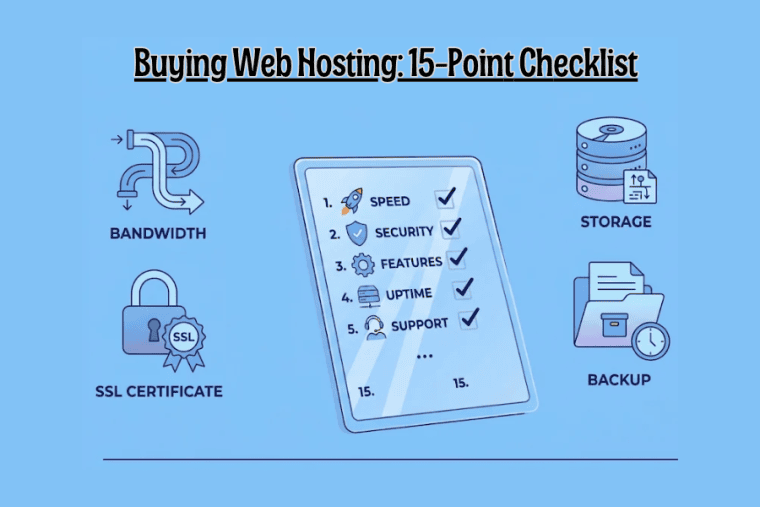


Picking a web hosting plan is about more than comparing monthly prices and disk space. The details buried in the plan, like resource limits, backup policies, security features, renewal costs and support, decide how well your site runs, how easily you recover when something breaks, and what you end up paying over the years.
Whether you’re starting a blog, a business site or an online store, work through this checklist before you hand over any money.
1. Storage Type and Space
Find out how much storage you get and what kind it is. Most modern plans use SSD or NVMe SSD. Also ask:
- How much total space is included?
- Is it SSD or NVMe?
- Do email accounts and databases come out of the same allowance?
- Can you add more space later?
Pick a plan with room for your files, databases, email and the content you’ll add down the line. To understand the performance differences, read our guide on the difference between NVMe and SSD hosting.
2. Bandwidth and Traffic Limits
Bandwidth is how much data your site can send to visitors. Some hosts advertise “unmetered” bandwidth, others set a monthly cap.
Check:
- What the monthly allowance is
- Whether traffic limits apply at all
- What happens if you go over
- Whether you’ll face extra charges or temporary restrictions
If you run sales or seasonal campaigns, find out how the host copes with a sudden surge in visitors.
3. CPU, RAM and Other Resource Limits
Storage and bandwidth only tell part of the story. CPU, RAM, entry processes and I/O limits decide how much work your site can handle at once.
Look for:
- CPU allocation or usage limits
- Available RAM
- Entry process limits
- Disk I/O and IOPS limits
- Inode restrictions
These matter most for dynamic sites, WooCommerce stores and anything running a lot of plugins. If you need dedicated resources and more control over server configurations, explore VPS hosting resource requirements before choosing a plan.
4. How Many Websites You Can Host
Cheaper plans often allow only one website. Higher tiers may allow several.
Confirm:
- How many websites or domains are allowed
- Whether subdomains are included
- Whether addon domains are supported
- Whether each site gets its own resources
If you plan to run more than one site, make sure the plan is built for it.
5. Backup Frequency and Retention
Backups are your way back if files get corrupted, deleted by accident or hit by a security problem.
Ask the provider:
- How often are backups taken?
- Are they daily or weekly?
- How long are they kept?
- Do they cover both files and databases?
- Are they stored away from the hosting server?
Never assume automatic backups come with the plan. Plenty don’t.
6. How Restoring Works
A backup only helps if you can actually restore it. Before you buy, check:
- Can you restore files and databases separately?
- Can you restore the whole site in one go?
- Is it available from the control panel?
- Does the host charge for restores?
- How long does a restore usually take?
It’s worth knowing whether you can do it yourself or have to wait on support.
7. Free SSL Certificate
SSL gives you HTTPS, which encrypts the connection between your site and its visitors.
See whether the plan includes:
- A free SSL certificate
- Automatic installation
- Automatic renewal
- Support for subdomains
- Help with setup
Also confirm it’s free for the whole subscription and doesn’t turn into a paid extra later.
8. Business Email
If you want addresses like [email protected], look closely at the email side of the plan:
- How many email accounts you get
- Storage per mailbox
- Sending and receiving limits
- Webmail access
- IMAP and SMTP support
- Spam filtering
Some plans include email hosting. Others expect you to buy a separate email service.
9. Security Features
Security matters even more if you collect customer details or take payments. Look for:
- Server-level firewalls
- Malware scanning
- DDoS protection
- Account isolation
- Brute-force protection
- Security monitoring
Check which of these are included and which cost extra. No single feature gives you complete protection, so don’t treat any one of them as a guarantee.
10. Control Panel
The control panel is where you’ll manage files, databases, email, domains and settings. Find out:
- Which panel the host uses
- Whether it’s included in the price
- Whether it offers one-click app installs
- Whether you can manage databases and files easily
- Whether SSL and email settings are simple to find
Pick one that suits your experience level. A tool that confuses you will cost you time.
11. Server Location and Technology
Where your server sits can affect how quickly content reaches your visitors. Check:
- Which server locations are available
- Where the data centre is
- What web server technology it runs
- Which PHP versions are supported
- Database compatibility
- HTTP/2 or HTTP/3 support
If most of your audience is in India, look for locations and connectivity that give good response times there.
12. Customer Support
Problems don’t wait for office hours, so find out how support really works:
- Is it available 24/7?
- Which channels are offered: live chat, tickets, phone?
- Are average response times published?
- Is technical support included in the price?
- Is help available with migration and server issues?
Take a look at the help documentation too. If common problems have clear step-by-step fixes, that’s a good sign.
13. Migration Help
If your site already lives somewhere else, see whether the new host will help move it. Ask:
- Is migration free or paid?
- Are files and databases transferred?
- Are email accounts included?
- Will they help with DNS changes?
- Should you expect any downtime?
Get the scope in writing before you buy, especially if it’s a live business site. If you are switching providers, follow our guide on how to migrate your website to a new hosting provider.
14. Money-Back Guarantee and Refunds
A refund window lets you try the service with less risk. But read the actual policy, not just the headline. Check:
- How long the refund period lasts
- Which services it covers
- Whether domain registration fees are refundable
- How to cancel
- Any exclusions or deductions
The terms and conditions will tell you what really happens if the service doesn’t live up to your expectations.
15. Renewal Pricing and Extra Charges
Introductory prices are often far lower than renewal prices, so judging by the first year alone can give you a misleading picture.
Before you buy, find out:
- The initial price
- The renewal price
- Any billing period requirements
- Domain renewal charges
- Paid backup or security add-ons
- Control panel licence fees, if any
- Taxes and other charges
Add it all up over two or three years. That’s the number that tells you what you’ll really spend. Compare first-year hosting costs and renewal prices to understand the long-term expense.
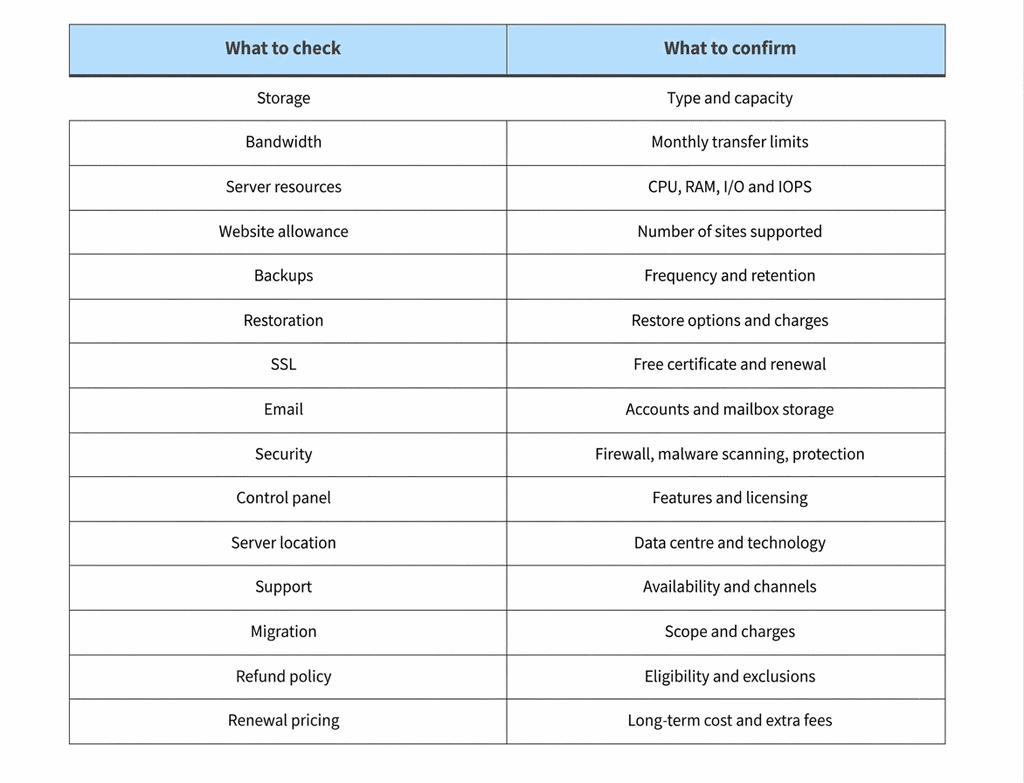
Quick Summary Checklist
Keep this handy while you compare providers.
Mistakes People Make When Buying Hosting
Even careful buyers slip up. Here are the usual ones:
- Going by the introductory price. A cheap first term doesn’t mean a cheap plan overall.
- Ignoring resource limits. A plan can have plenty of storage and still be tight on CPU, RAM or I/O.
- Assuming backups are included. Always check how often they run, how long they’re kept and whether restores cost extra.
- Overlooking renewal rates. Know what you’ll pay when the first term ends.
- Skipping the migration terms. Free migration often comes with conditions or limits.
- Forgetting about growth. Make sure you can upgrade when your traffic and needs increase.
Conclusion
Don’t choose a host on price, storage or bandwidth alone. Resource limits, backup and restore policies, security, email, support and renewal costs all shape what a plan is really worth.
Use this checklist to compare providers, and choose a plan that fits what your site needs today with room to grow. For a closer look at hosting types, plan features and pricing, read our web hosting plans, prices and selection guide, or compare the available web hosting plans directly. For a detailed comparison of hosting types, features and pricing, read our web hosting plans, prices and how to choose guide.
Frequently Asked Questions
1. What should I check before buying web hosting?
Compare storage, bandwidth, CPU, RAM, backups, SSL, security, email accounts, support, migration help and renewal pricing. It’s also worth reading the refund policy and finding out how upgrades work.
2. How much storage and bandwidth do I need?
It depends on your site’s size, content, traffic and features. A small blog needs far less than an online store or a media-heavy site.
3. Is NVMe SSD hosting better than regular SSD hosting?
NVMe generally has faster transfer speeds and lower latency than SATA SSD. Real-world performance still depends on your server resources, caching, application setup and network quality.
4. Why should I check renewal prices before buying?
Many providers discount the first term and raise the price at renewal. Checking renewal rates, domain charges and add-on costs shows you what hosting will really cost over time.
5. Are backups included with every hosting plan?
No. Availability, frequency and retention differ between providers and plans. Confirm whether automatic backups are included, how long they’re kept and whether restoring costs extra.
6. Do I need SSL and business email with my hosting plan?
SSL is important because it enables HTTPS and protects data passing between your site and visitors. Business email is useful if you want professional addresses on your own domain. Check whether the plan includes both.
7. Can I migrate my existing website to a new host?
Yes. Migration means moving your files, databases and related settings to the new server. Some hosts help with this, but confirm whether email transfers, DNS changes and migration fees are covered.
