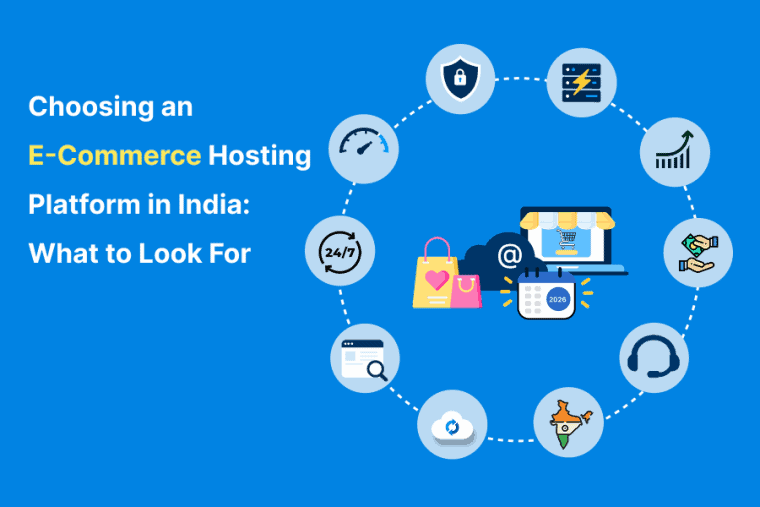


Online shopping in India keeps growing. And if you’re running an online store, the hosting platform you choose affects everything—speed, uptime, security, scalability, and ultimately customer trust and conversions. Pick the wrong host, and you’ll spend more time firefighting than selling. Pick the right one, and your store just works.
This guide walks through what actually matters when choosing an e-commerce hosting platform in India, plus a look at some of the options available. No rankings, no “best” declarations—just what to check before you commit.
What Makes E-Commerce Hosting Different?
E-commerce hosting isn’t the same as hosting a blog or a brochure site. An online store has specific requirements:
- Dependable up-time. Your store is down, you lose sales. Downtime can cost you real money, even just a few minutes during peak hours.
- Fast load times. Product pages, cart pages and checkout flows need to be fast, especially on mobile where the majority of the Indian shoppers are.
- Safety. Payment data, customer details and login details must be protected. SSL is not optional.
- Scalability when you have a sale, a festival or something goes viral, the traffic spikes and your store should not go down.
- Resource distribution. E-commerce sites are more CPU, RAM and I/O intensive than static sites. The plans lack power.
No matter how great your products are, when your host doesn’t meet these requirements your store will suffer.
Types of Hosting for E-Commerce
Before you start comparing providers, it’s useful to know what you’re comparing:
Shared hosting. Most affordable option. Good for a new store w/ little traffic. However you can get caught out by resource limits during sales or traffic spikes.
VPS Host. More resources. More control. Great for growing stores that have outgrown shared hosting service. It demands some technical comfort if it’s not managed.
Cloud Hosting . Resources hosted on multiple servers. More uptime, more scale. They are usually priced higher than VPS.
Managed WordPress / WooCommerce Hosting. Specifically optimized for WordPress based stores . Easier to setup, better performance for WooCommerce, but costs more .
Dedicated server. A whole server for your store. Too much for most small stores but useful for high-traffic operations.
For most new online stores in India, shared or entry-level VPS hosting is a sensible starting point. As you develop you can upgrade.
E-Commerce Hosting: What to Check
Here’s what really matters when evaluating an e-commerce host:
1. Server Location and Latency
If your customers are in India, a server in India (Mumbai, Bangalore, Delhi) will give noticeably better latency than a one in the US or Europe. This impacts page speed, checkout flow and SEO. If you have customers globally, look for multiple data center locations or a CDN with PoPs in India.
2. Resource Allocation
Check the CPU, RAM and IO limits. Blogs use fewer resources than e-commerce sites. A plan with low I/O limits will feel slow when traffic surges. If you are not sure what these mean, this guide to understanding resource limits in cPanel shared hosting breaks it down.
3. Uptime Guarantee
The typical claim is 99.9%. That’s about 43 minutes of lost time each month. Look for providers that publish uptime stats or provide SLA credits if they miss targets.
4. SSL and Security
Free SSL is now standard. If a host charges you more for it, then that’s a red flag. Also look for WAF, DDoS protection, malware scanning and regular backups. For a broader view, check out our website security checklist for small businesses.
5. Backup Policy
Daily backups are automatic and on by default. See if restoration is free or paid, and how long backups are kept. Here’s the cPanel backup and restore guide for a full walkthrough.
6. Scalability and Upgrade Path
I would like to know if it is possible to upgrade to VPS or cloud hosting without having to migrate manually? How to upgrade? An easy-to-scale host saves you pain later.
7. Payment Gateway Compatibility
If you’re on WooCommerce, Shopify or a custom store, make sure your host supports the payment gateways you need. Most do, but it’s worth checking.
8. Renewal Pricing
The introductory rate is often a lot lower than the renewal rate. Check both before you sign up. A ₹145/month plan that renews at ₹399 is not the same as one that renews at ₹199.
9. Support Quality
Test it before you buy it. Send a pre-sales question and record the response time. E-commerce sites require responsive support – you can’t wait 24 hours when your checkout goes down.
10. CDN Options
India PoPs in a CDN reduces latency for Indian customers. Some hosts will include CDN in their plan while others will charge you for it. For more on this, check out our guide on what a CDN is and how it improves website performance.
Some Hosting Options Worth Looking At
Rather than rank them in order of importance, here are the types of hosts powering e-commerce stores in India:
India-Based Shared Hosting Providers
Some Indian hosts offer cPanel based shared hosting with SSD or NVMe storage, free SSL and daily backups. These are also some of the cheapest new store entry points. Monthly charges usually range from ₹99 to ₹250.
Things to look for: server location, resource limits, renewal pricing and if the plan offers enough CPU and RAM for WooCommerce or your platform of choice.
India-Based VPS and Cloud Providers
A VPS or cloud hosting can provide more resources and scalability for growing stores. Some Indian providers have provided VPS plans where they do the server maintenance for you.
What to check – managed or unmanaged plan, upgrade paths, do they include backups and SSL.
International Budget Hosts
International hosts like Hostinger have cheap plans with international data centers. They’re a good choice if you have a global audience, or are just starting out.
Watch out for: Server location to your customers, support hours IST, renewal pricing.
Managed Cloud Platforms
With managed cloud hosting platforms like Cloudways you get the advantages of cloud infrastructure without having to manage the server yourself. They are good for stores that have seasonal sales and festivals with a lot of traffic.
What to look for: Pricing model (often usage-based), does support cover your platform, migration processes.
WordPress/WooCommerce-Specific Hosts
If you’re on WordPress, some hosts have plans tailored for WooCommerce. These tend to include LiteSpeed servers, native caching and staging environments.
What to watch for: The plan’s WooCommerce-specific optimizations and support for the plugins you’ll need.
Common Mistakes When Choosing E-Commerce Hosting
Choosing on price alone. A ₹49/month plan that goes down during a sale costs you more than you saved.
Ignoring renewal pricing. The first-year deal is designed to get you in. Year two is where the real cost shows up.
Overbuying resources. You don’t need a dedicated server for a store with 100 products. Start small, scale up.
Not testing support before buying. Send a pre-sales question. If they take 48 hours to reply to a sales inquiry, imagine how support tickets go.
Skipping the money-back window. Most hosts offer 7–30 days. Use it. Test speed, uptime, and support properly. If it’s not working, leave.
Not checking server location. If your customers are in India and your server is in Texas, your store will feel slow no matter how good the specs look.
For a broader view, see our guide on common web hosting mistakes beginners should avoid.
Frequently Asked Questions
How much should I pay for e-commerce hosting in India?
Basic Shared Hosting is available at Rs.99 – Rs.300 per month. Managed hosting or VPS: ₹500-₹2,500/month. Cloud hosting generally costs more to begin with. Usually the renewal price is higher than the introductory rate.
Do I need a VPS for my online store?
Not at the moment. Simple plan is fine for a new store with low traffic. If you see your traffic spike and things slow to a crawl, get VPS.
Is WooCommerce hosting different from regular WordPress hosting?
WooCommerce stores require more – more database queries, more PHP processes, more I/O. A WooCommerce-optimized host will generally outperform a generic WordPress host.
What’s the most important thing to check?
Server location. If your customers are in India and your server isn’t, you’re starting at a disadvantage. After that, resource allocation and uptime.
Can I switch hosts later?
Yes, but migrations can be complex for e-commerce stores, especially when dealing with custom configurations or a large product catalog. Plan for this and look for hosts that offer free migration.
How do I test a host before committing?
Use the money back window. Build your store . Test speed , uptime and support . If it doesn’t work, get out.
Conclusion
The selection of an ecommerce hosting platform is not about finding the cheapest or the one with the flashiest feature list. It’s about finding a host that’s up, that works reliably, that keeps your data safe and that scales as your store grows.
“Match the plan specs to the traffic you can realistically expect. Look at the server location, resource allocation, and renewal fees. Support tests before commit And if it’s not working out, don’t be afraid to change.